

QKVM-4K
KVM Switch | 4-Port HDMI | USB 2.0 | Multiview Preview –
The QKVM4K features two monitor outputs; one is the standard KVM Switch video output that displays the selected computer to be controlled via the USB Keyboard/mouse. The other is a Preview screen which allows you to view up to all four video inputs connected to the unit. Connections to video sources are managed via HDMI connectors.
NEW SAVI LAYOUT FOR WINDOW CUSTOMIZATION
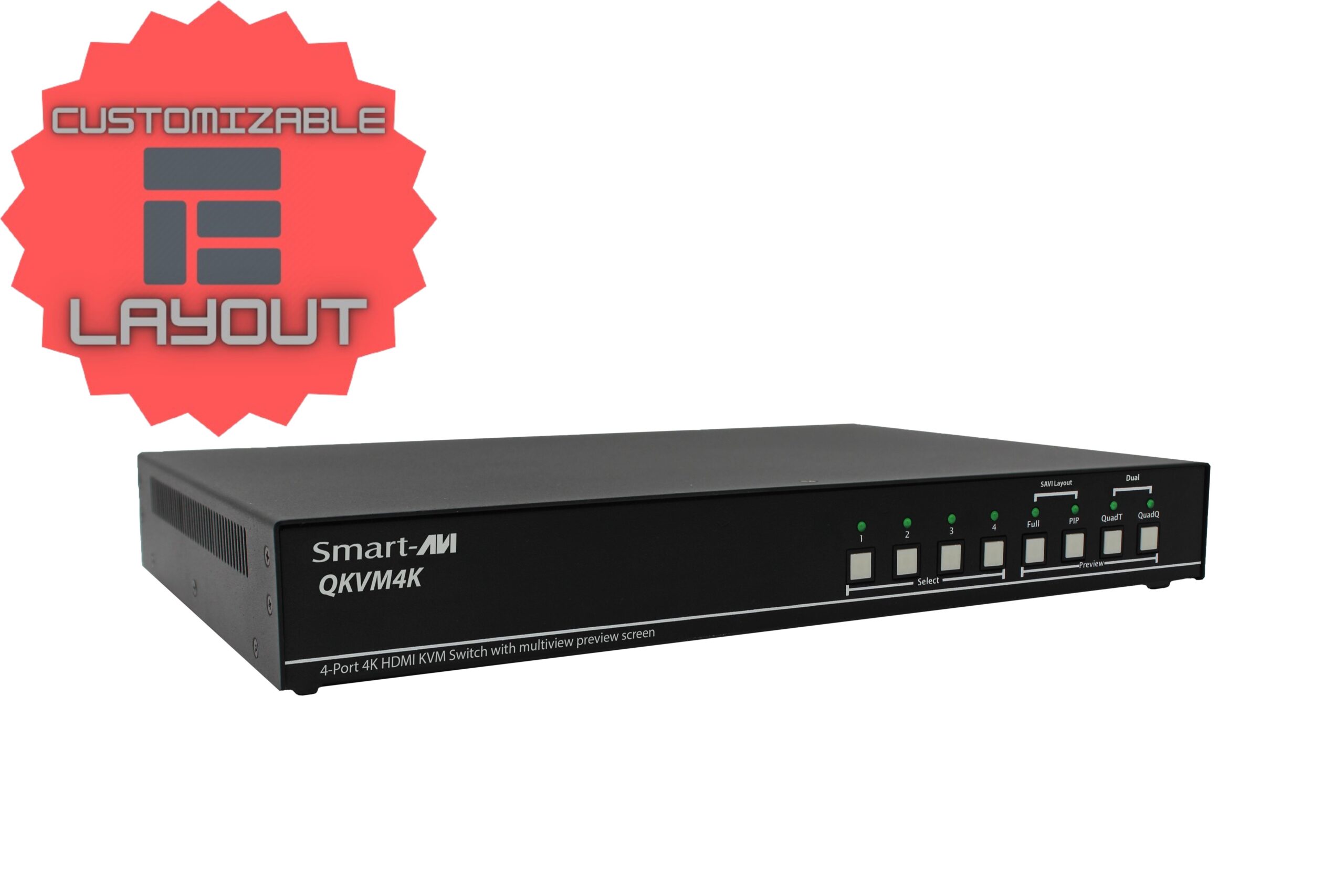
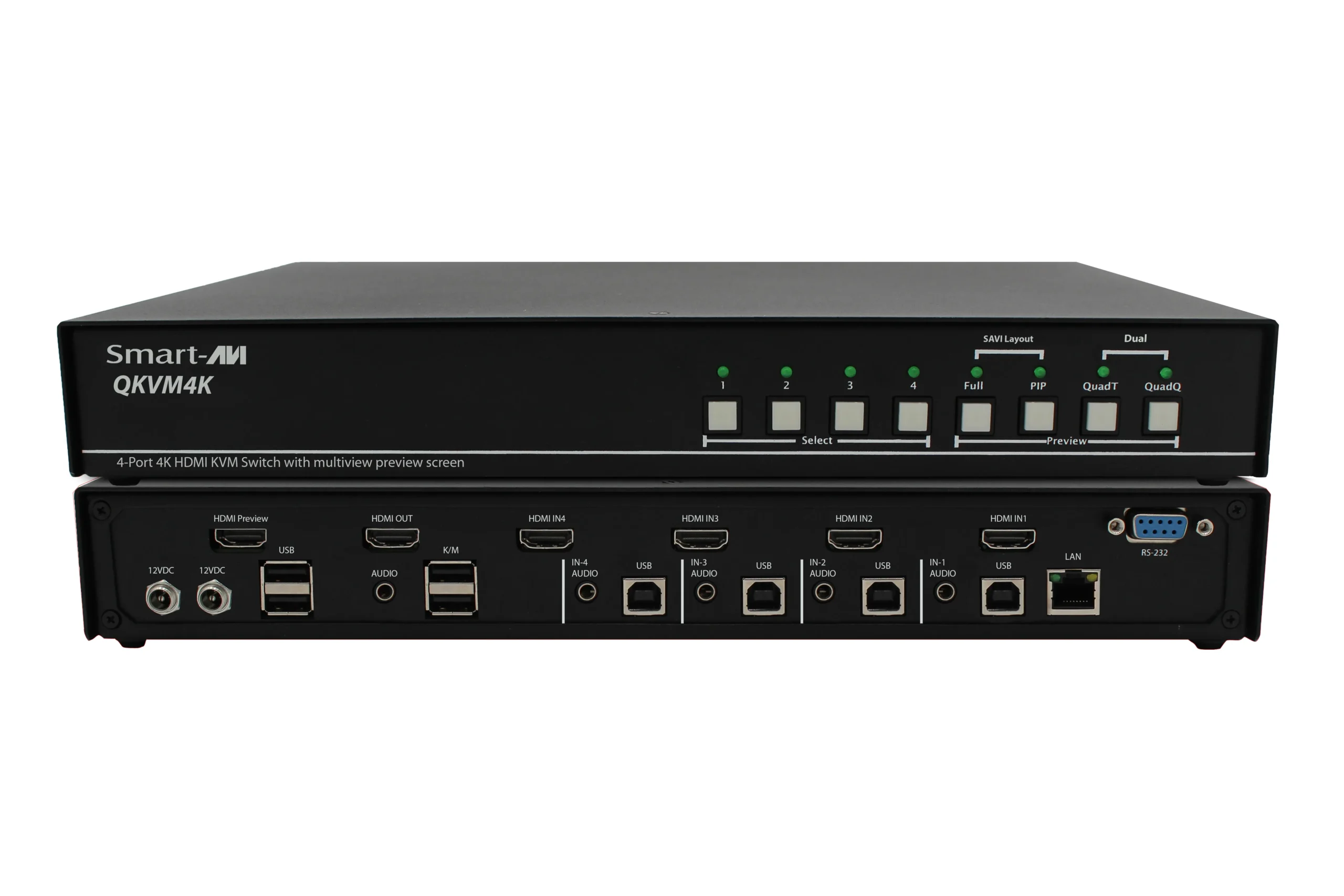
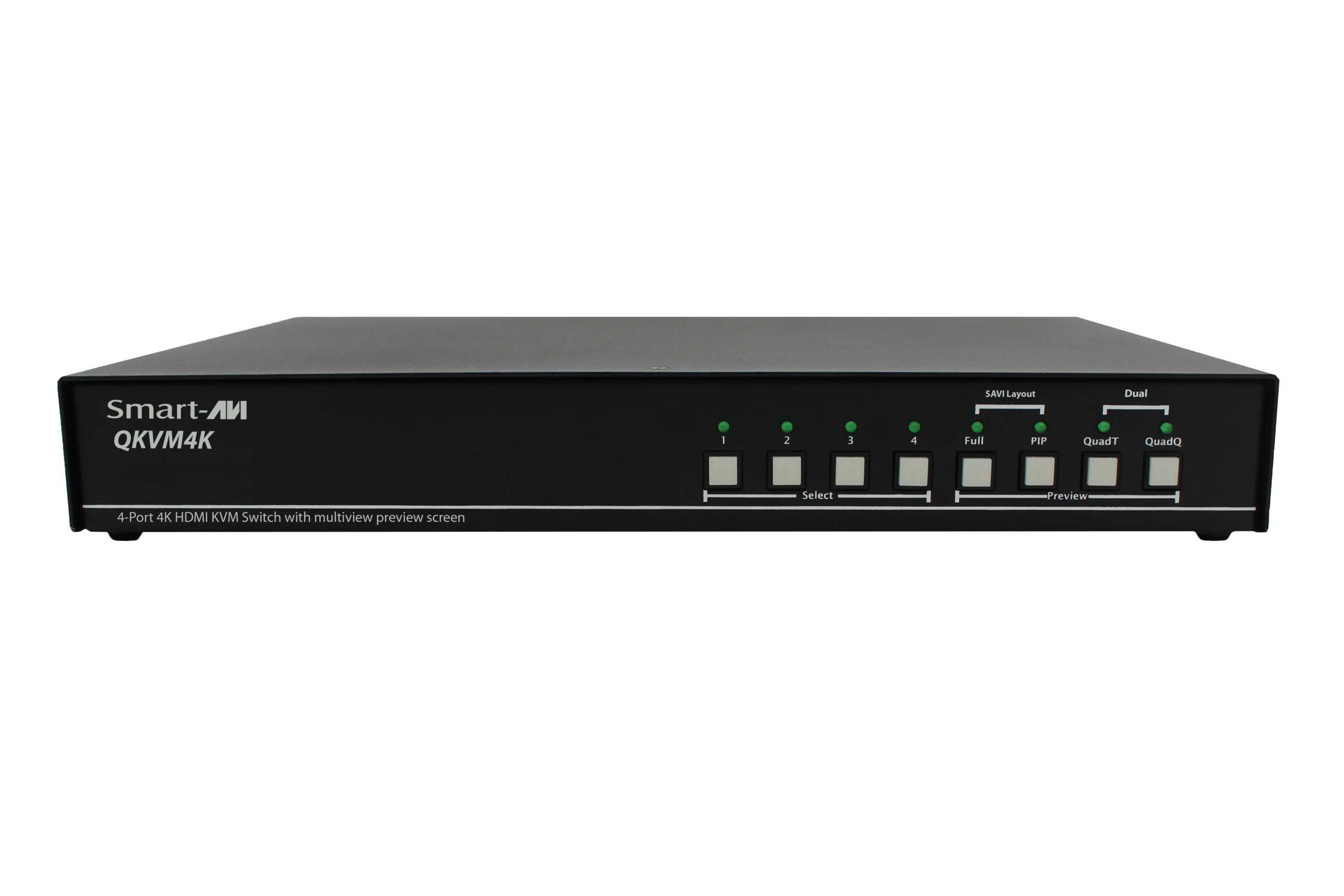

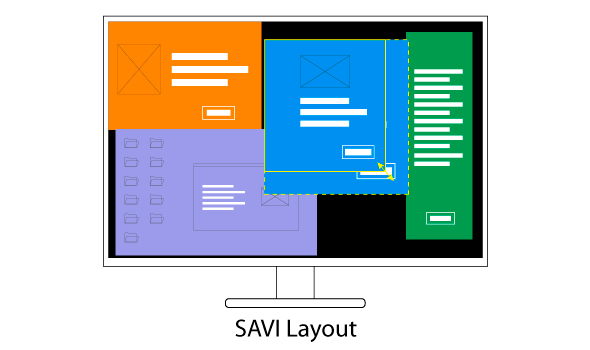
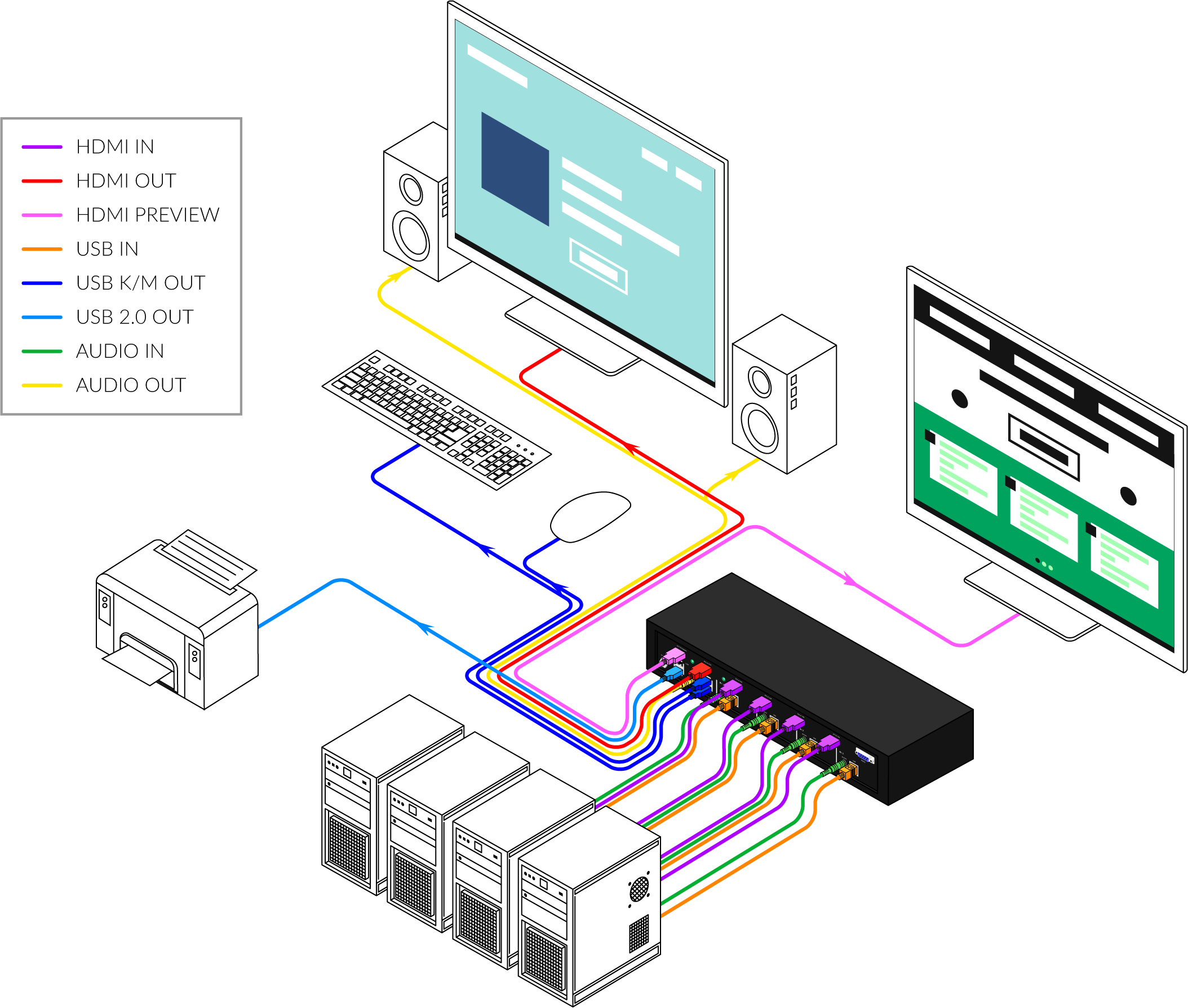
- View up to four computers on the multiview preview screen at the press of a button
- View and control any computer on the main video/monitor output of the unit
- Supports USB keyboard and mouse
- Features USB 2.0 ports to connect additional USB devices like printers, cameras, USB drives, etc.
- On-screen display (OSD) makes setup and switching easy
- Change views by pressing the tact switches, keyboard hotkeys, and via RS-232 commands
- Display each computer in clean and crisp high resolution video
- Supports HDMI resolutions of up to 3840 x 2160 @ 30Hz
- Quad-mode splits the preview screen to show all 4 computers simultaneously
- Dual-mode splits the preview screen to show two computers at the same time
- PiP-mode displays one computer in full screen with three thumbnail views
- User-defined frame rate for each input
- Corporate or Educational Presentations
- Financial (Remote Servers/User Control)
- Call Centers for Technical Support
- Industrial (Long-Range Workstation Isolation)
- Airport Installations (Air Traffic Control/Passenger Information)
- KVM Extension where Exceptional Quality of Signal is Crucial
- Medical (Remote Operation Away from Sensitive/Magnetic Equipment)
- Recording (for Large Studios where Editing/Mixing Stations are Compact and/or Require Complete Silence)
| VIDEO | |
|---|---|
| Resolution HDTV | 720i, 720p, 1080i, 1080p, 2K, 4K |
| PC Resolution | 800 x 600 up to 3840 x 2160 |
| Input Video Signal | 1.2 volts |
| Input DDC Signal | 5 volts |
| Format | HDMI |
| HDCP Compliance | 1.0/2.0 |
| Input Interface | (4) HDMI |
| Output Interface | HDMI |
| Connector | Type A [19-pin female] |
| USB | |
| Input | USB 2.0, 1.1, and 1.0 |
| Input Interface | (4) USB Type B |
| Keyboard | USB 1.0 (Type A) |
| Mouse | USB 1.0 (Type A) |
| CONTROL | |
| Front Panel | Tact Switches |
| RS-232 | DB9 (female) |
| OTHER | |
| Power | External 100-240 VAC/12VDC3A @ 36W |
| Dimensions | 12.57” W x 1.76” H x 6.69” D |
| Weight | 4.2 lbs |
| Approvals | UL, CE, ROHS Compliant |
| Operating Temperature | +32 to +104°F (0 to +40°C) |
| Storage Temperature | -4 to 140°F (-20 to +60°C) |
| Humidity | Up to 80% (No Condensation) |
| PART NO. | Description |
|---|---|
| SM-QKVM4K-S | 4-Port HDMI, USB 2.0 KVM Switch with Multiview Preview Screen and Audio Support. Includes: [SM-QKVM4K & PS12VD3A-WLLMNT] |
QKVM-DP
Quadruple View | KVM Switch | 4-Port DP | Ultra-HD | USB 2.0 | Multiview Preview Screen –
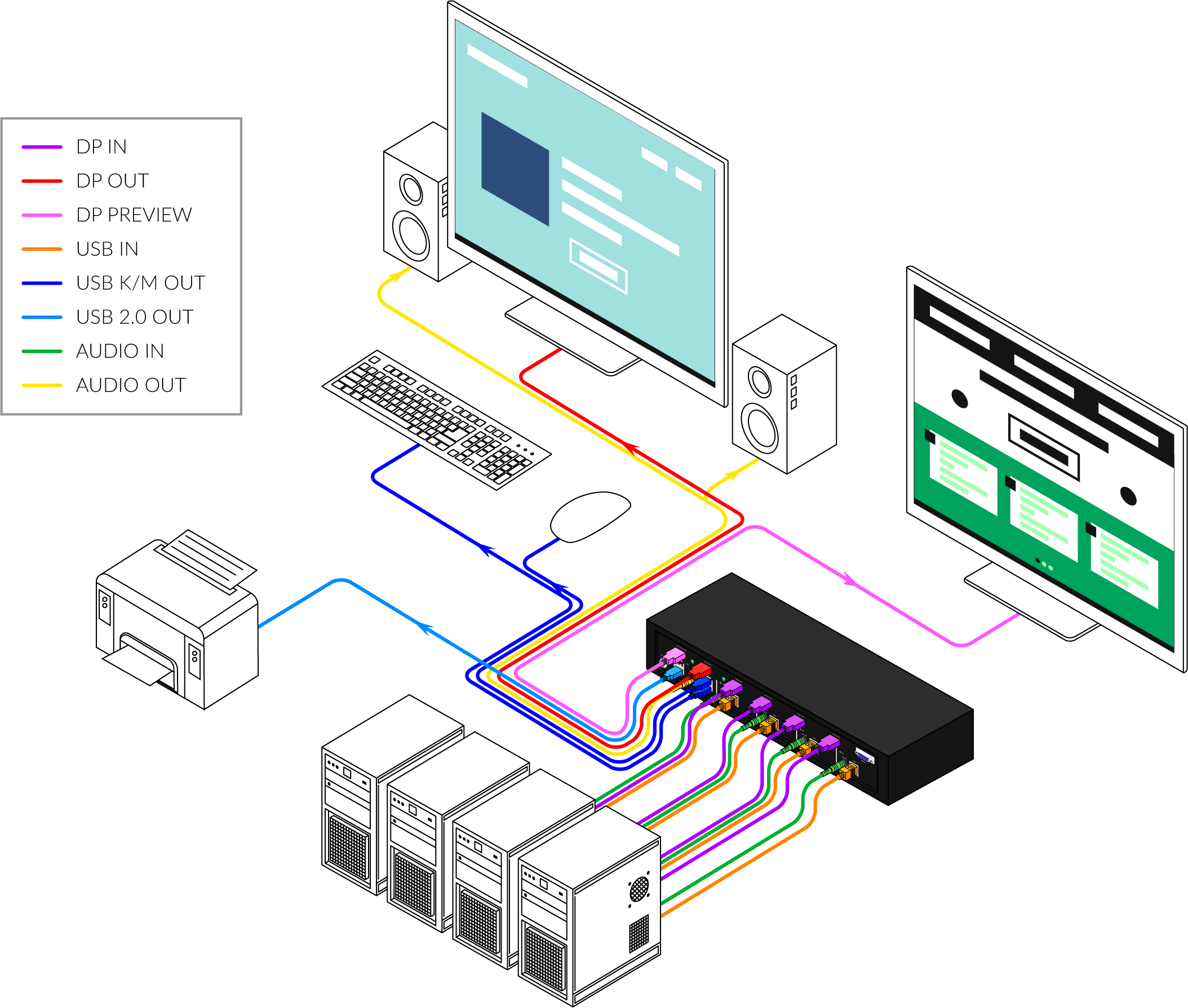
The QKVMDP features two monitor outputs; one is the standard KVM Switch video output that displays the selected computer to be controlled via the USB Keyboard/mouse. The other is a Preview screen which allows you to view up to all four video inputs connected to the unit. Connections to video sources are managed via DP connectors.
NEW SAVI LAYOUT FOR WINDOW CUSTOMIZATION
- View up to four computers on the multiview preview screen at the press of a button
- View and control any computer on the main video/monitor output of the unit
- Supports USB keyboard and mouse
- Features USB 2.0 ports to connect additional USB devices like printers, cameras, USB drives, etc.
- On-screen display (OSD) makes setup and switching easy
- Change views by pressing the tact switches, keyboard hotkeys, and via RS-232 commands
- Display each computer in clean and crisp high resolution video
- Supports DP resolutions of up to 3840 x 2160 @ 30Hz
- Quad-mode splits the preview screen to show all 4 computers simultaneously
- Dual-mode splits the preview screen to show two computers at the same time
- PiP-mode displays one computer in full screen with three thumbnail views
- User-defined frame rate for each input
- Corporate or Educational Presentations
- Financial (Remote Servers/User Control)
- Call Centers for Technical Support
- Industrial (Long-Range Workstation Isolation)
- Airport Installations (Air Traffic Control/Passenger Information)
- KVM Extension where Exceptional Quality of Signal is Crucial
- Medical (Remote Operation Away from Sensitive/Magnetic Equipment)
- Recording (for Large Studios where Editing/Mixing Stations are Compact and/or Require Complete Silence)
| VIDEO | |
|---|---|
| Resolution HDTV | 720i, 720p, 1080i, 1080p, 2K, 4K |
| PC Resolution | 800 x 600 up to 3840 x 2160 |
| Input Video Signal | 1.2 volts |
| Input DDC Signal | 5 volts |
| Format | DP |
| HDCP Compliance | 1.0/2.0 |
| Input Interface | (4) DP |
| Output Interface | DP |
| Connector | Type A [19-pin female] |
| USB | |
| Input | USB 2.0, 1.1, and 1.0 |
| Input Interface | (4) USB Type B |
| Keyboard | USB 1.0 (Type A) |
| Mouse | USB 1.0 (Type A) |
| CONTROL | |
| Front Panel | Tact Switches |
| RS-232 | DB9 (female) |
| OTHER | |
| Power | External 100-240 VAC/12VDC3A @ 36W |
| Dimensions | 12.57” W x 1.76” H x 6.69” D |
| Weight | 4.2 lbs |
| Approvals | UL, CE, ROHS Compliant |
| Operating Temperature | +32 to +104°F (0 to +40°C) |
| Storage Temperature | -4 to 140°F (-20 to +60°C) |
| Humidity | Up to 80% (No Condensation) |
| PART NO. | Description |
|---|---|
| SM-QKVMDP-S | 4-Port DP, USB 2.0 KVM Switch with Multiview Preview Screen and Audio Support. Includes: [SM-QKVMDP & PS12VD3A-WLLMNT] |
Error: Contact form not found.