N2N Series

Low-Bandwidth 4K KVM-over-IP, Powered by H.264 / H.265

A network-based KVM and AV distribution platform that lets operators access and control remote computers from one central workstation. View, manage, and switch between connected systems over standard IP infrastructure instead of moving between separate machines or equipment rooms. With H.264 and H.265 compression, N2N delivers clear 4K video and responsive control while dramatically reducing bandwidth, making large deployments practical to scale.

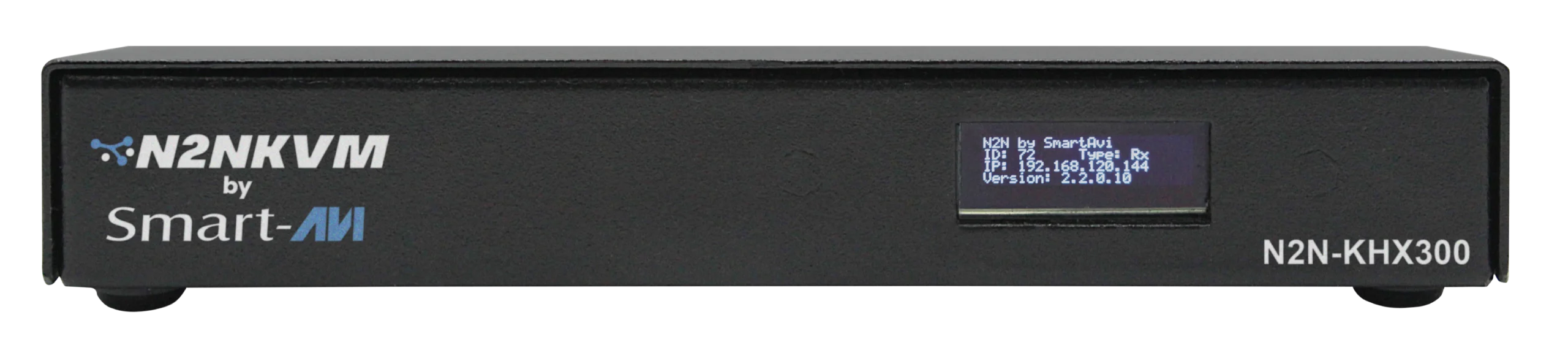
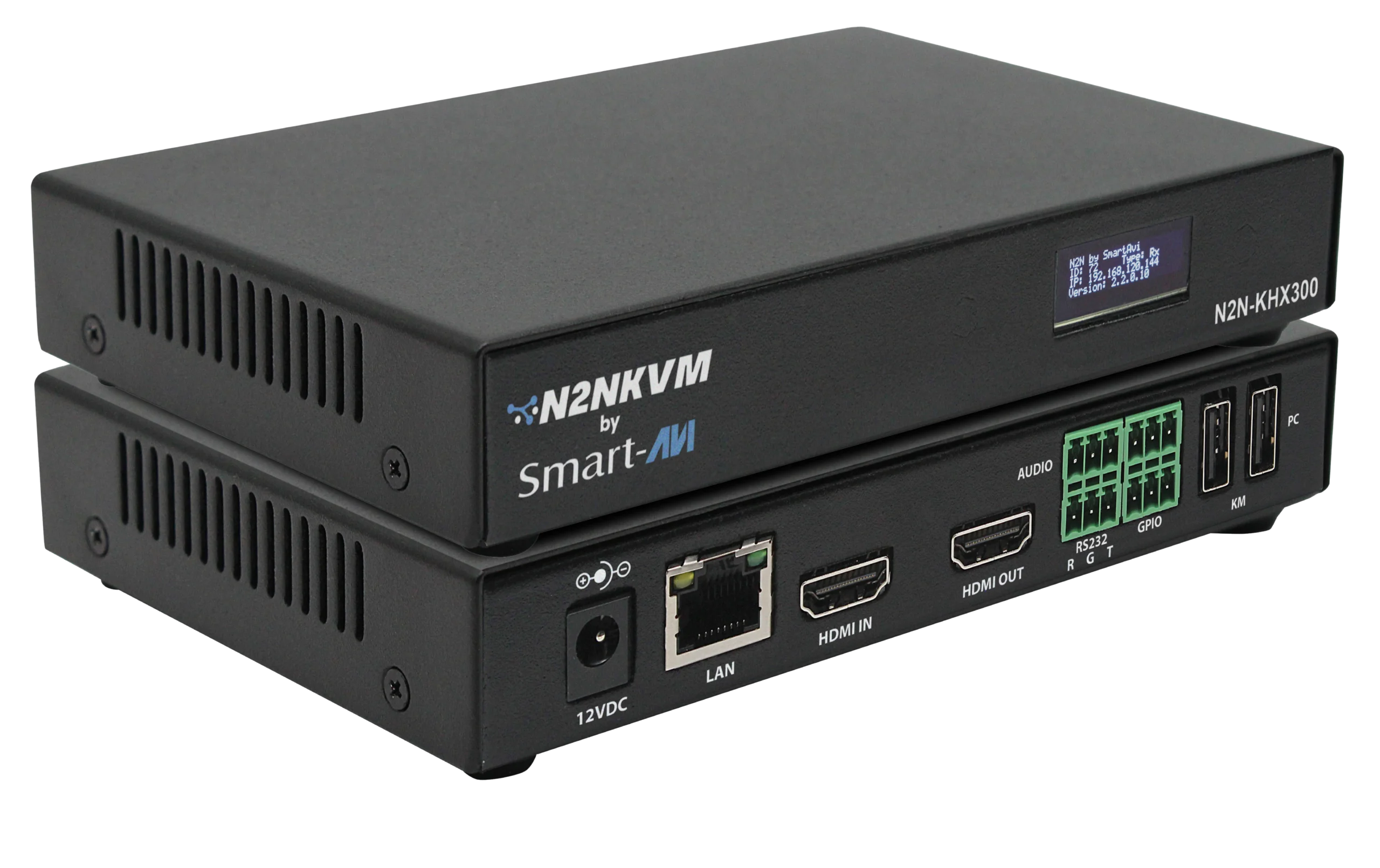
N2N-KHX300 Front View
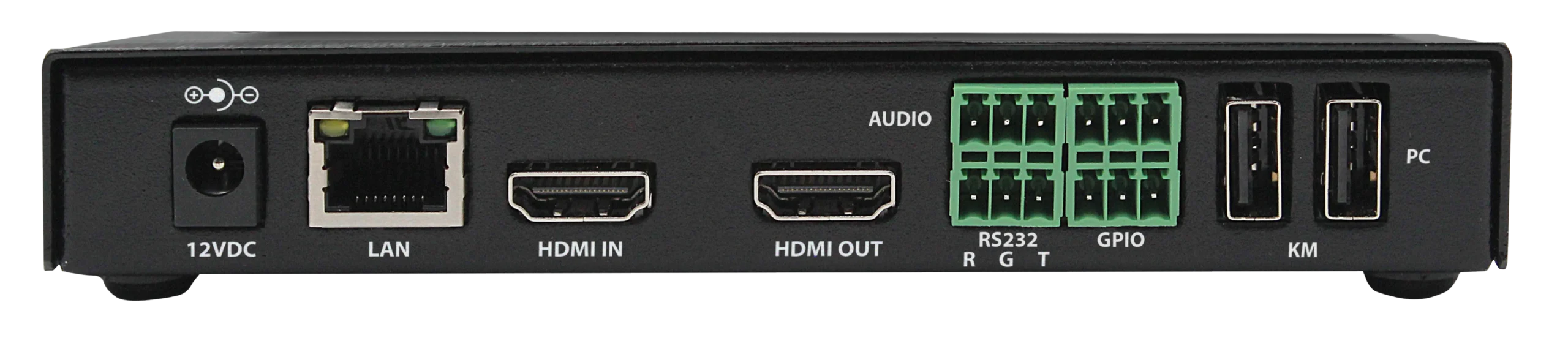
N2N-KHX300 Back View
N2N-KHX300 Side View

Overview

The N2N Series is a 4K HDMI KVM and AV-over-IP distribution system built on H.264 / H.265 video compression. A single hardware platform is software-configurable as an encoder, a decoder, or a standalone KVM node, so one part number covers every position in the system and inventory stays simple.

N2N transmits HDMI video at 3840 × 2160 @ 30Hz with stereo audio and USB keyboard and mouse emulation over standard gigabit Ethernet. Copper links reach 100 m (328 ft), and an SFP module extends the same link up to 10 km over single-mode fiber. No software is installed on the source computers.

Connection Topology

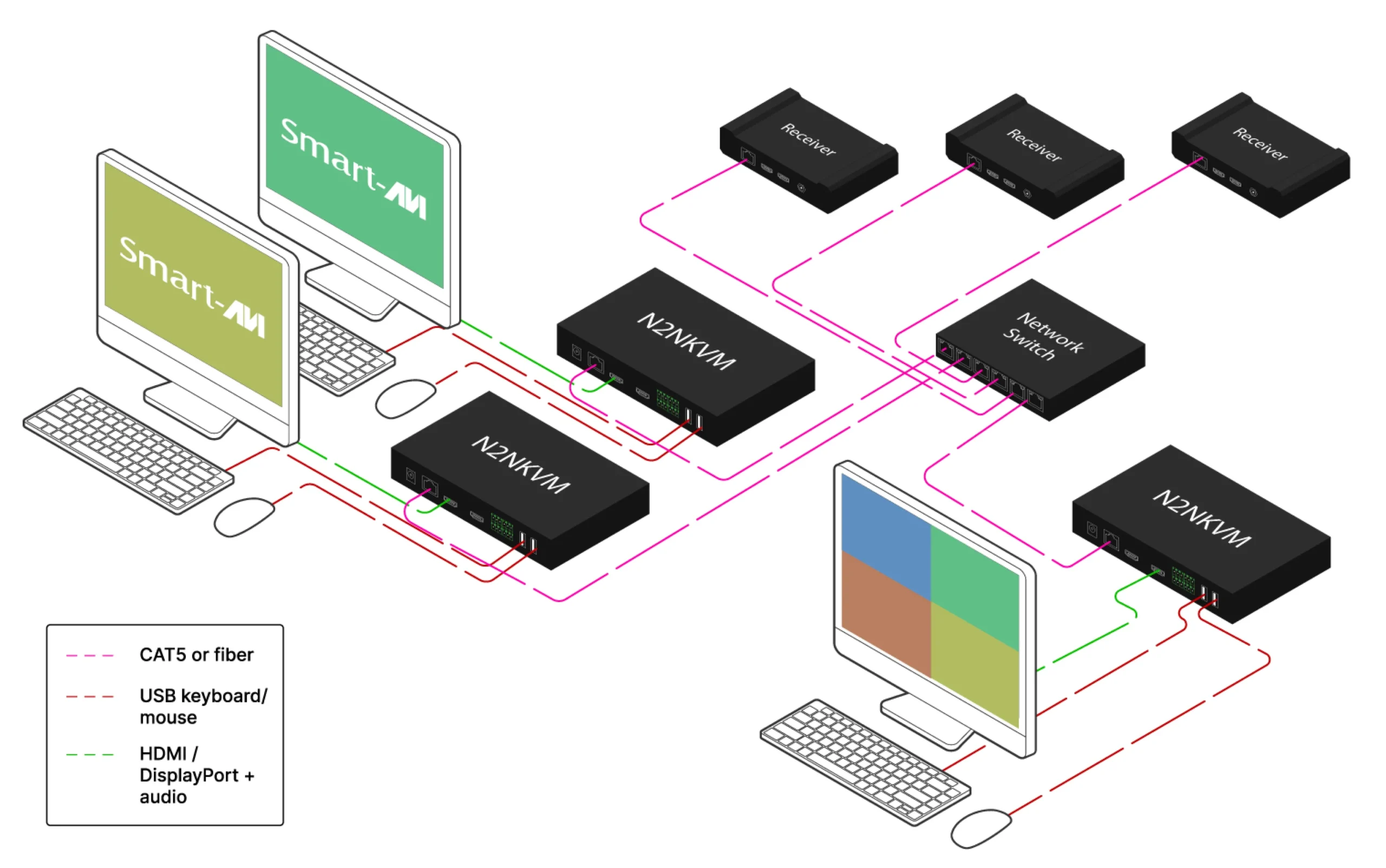
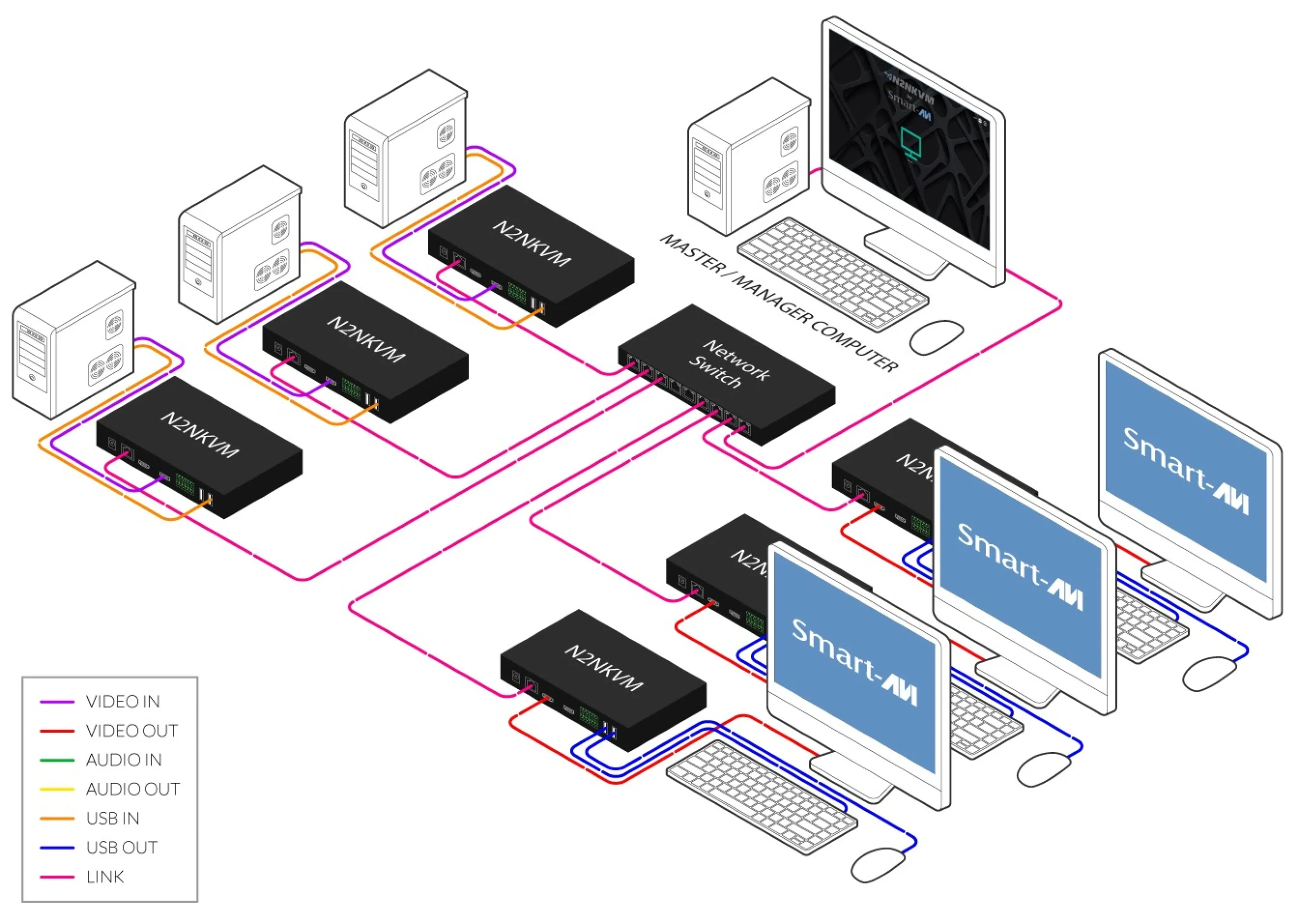
Encoder (Input Node)Connects to a source computer’s HDMI and USB; streams video, keyboard, and mouse over IP
Decoder (Output Node)Drives an operator monitor and USB peripherals; pulls any permitted source from the network
NetworkStandard gigabit IP. UDP multicast for one-to-many, TCP unicast for point-to-point
CAT5 / CAT6Copper links up to 100 m (328 ft) per device
Single-Mode FiberExtends links up to 10 km (6.2 mi) over an SFP module
ManagementDesktop application or web browser, with no agent installed on the source computers

Low bandwidth. Real-time control. No source-side software. Designed and built in the USA.

Centralized Management — N2N Desktop Application

The N2N Desktop Application is the control center for the entire system. Administrators discover devices, assign roles, build video walls and multiviewers, manage user permissions, and drive live displays from a single interface. Devices can also be reached from a standard web browser, with no agent installed on any source machine.

  • Device Discovery and Configuration – scan the network, assign IP addresses, set device roles
  • User and Permission Management – create accounts and grant access per source or per group
  • Real-Time Status and Activity Logs – monitor every endpoint and audit user actions
  • Web-Based GUI – manage from anEDID and OSD Control – read, write, and restore EDIDs; overlay custom text on any sourcey browser with no installation

Scenes, Layouts, and Automated Scheduling

Build a layout once and recall it instantly. N2N saves any arrangement of sources and displays as a named scene, then switches between scenes on demand or on a timer. Ideal for control rooms with shift-based views and for digital signage that rotates content automatically.

  • Preset and Custom Grids – 1×2, 2×2, 2×4, 4×4, and user-defined layouts
  • Pixel-Accurate Windows – set exact size and position for any source on a video wall
  • Saved Scenes – store and recall complete layouts with one click
  • Automated Plans – schedule scene rotation with per-scene dwell times
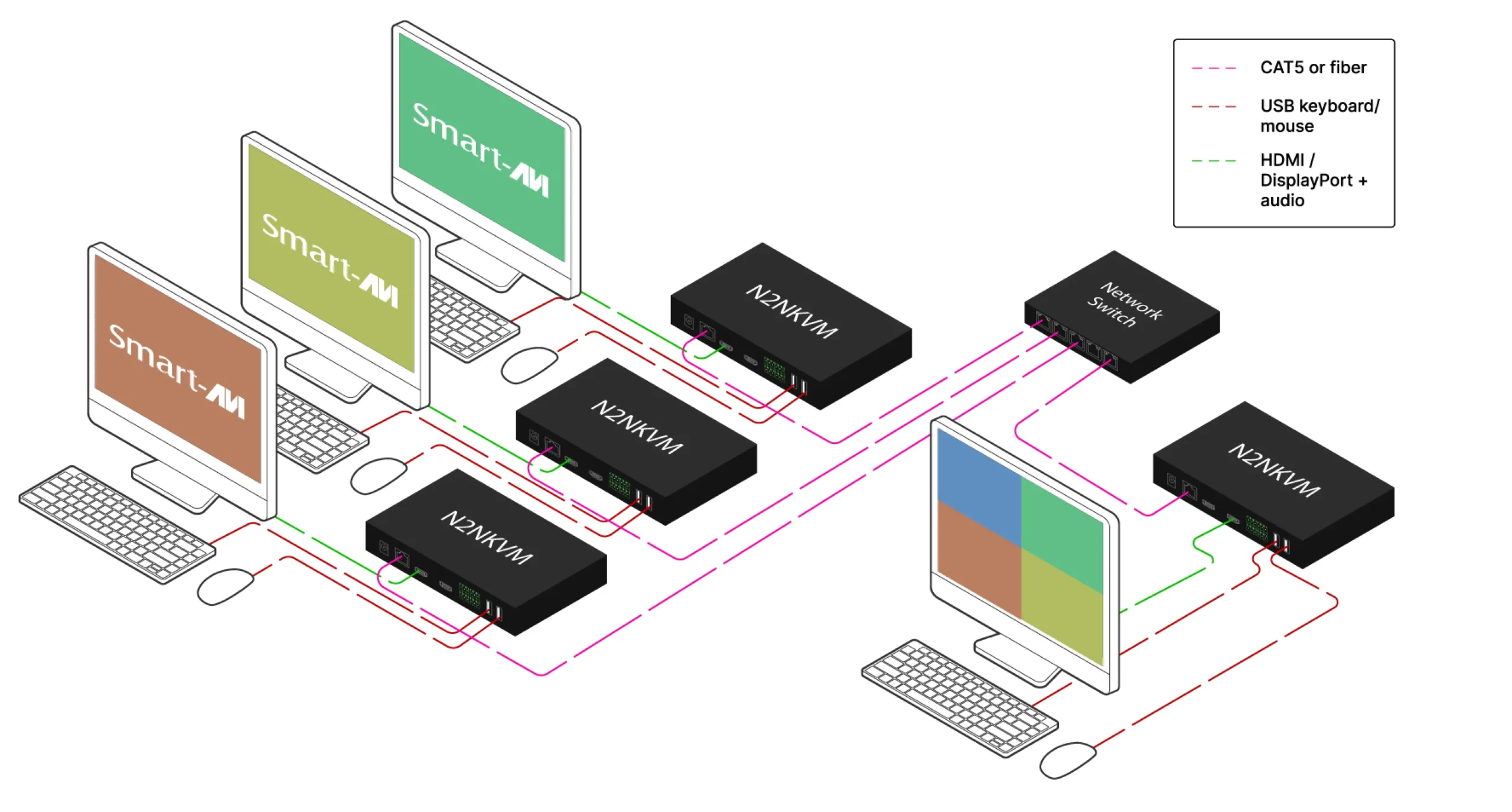
N2N Network Diagram

One platform. Every role. Modes

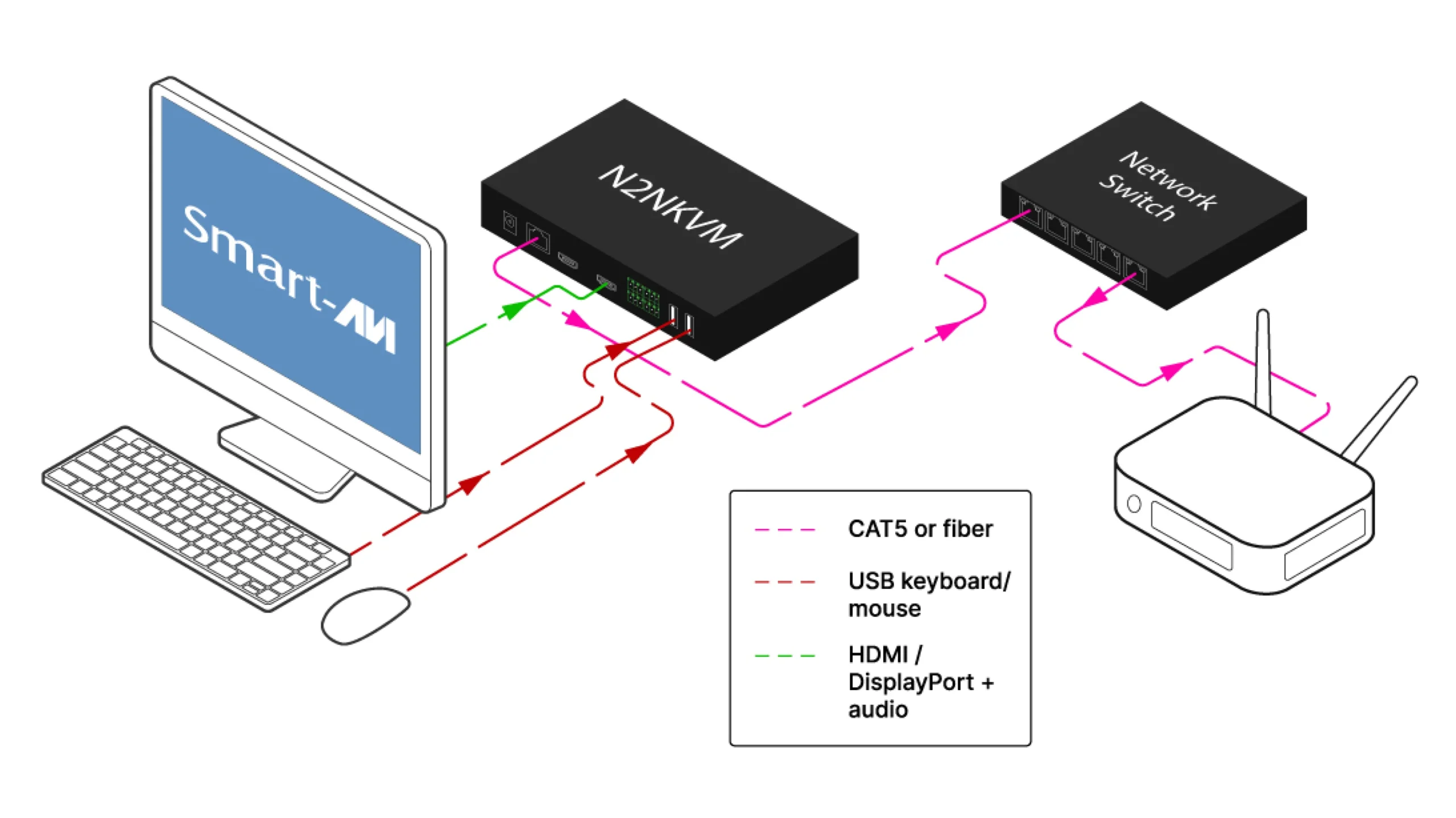
Connects to a source computer’s video and USB ports and streams video, audio, keyboard, and mouse onto the network. Any permitted receiver on the network can pull that stream. No software is installed on the source machine.

View product
Transmitter Mode diagram

Transmitter Mode

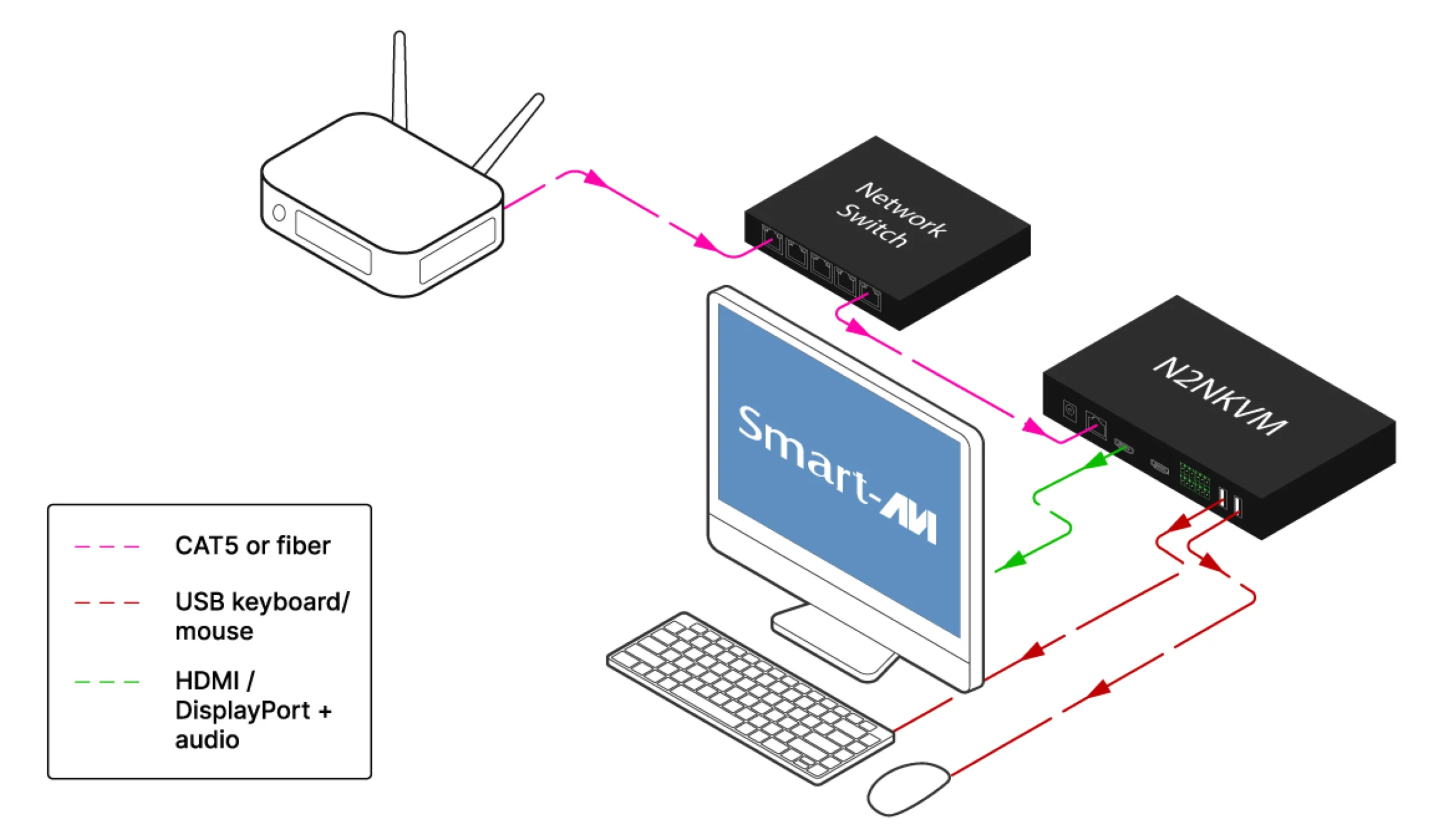
Drives an operator monitor and USB peripherals, pulling any permitted source from the network. Switch sources through the desktop application, a browser, or the on-screen display. The same unit that runs as a transmitter runs as a receiver, so a link is two of the same part number.
View product
Receiver Mode diagram

Receiver Mode

Turns a single node into a self-contained KVM station driven by the device’s own firmware. Press Ctrl twice to open the control panel, pick a source, and take keyboard and mouse control. Hotkeys, the single, 1×2, and 2×2 layouts, and per-user source permissions are built in.

View product
KVM Mode diagram

KVM Mode

Route any source to any receiver across the network, or composite up to four sources onto a single display in a single, 1×2, or 2×2 layout. Unicast for point-to-point, multicast for one-to-many, or Auto to let the system choose.

View product
Matrix switching and multiview diagram

Matrix switching and multiview

Three-port direct-connect switching — no network switch required.The Link 4 Series receiver includes up to three RJ45 inputs, allowing direct connection to three transmitters for fast local switching using hotkeys or OSD. Perfect for secure stations or small environments that need multi-system access without adding a network switch.

4K UHD Video Extension

Transmit HDMI video up to 3840 × 2160 @ 30Hz with visually lossless performance and ultra-low latency.

H.264 / H.265 Compression

Cut network bandwidth substantially versus uncompressed AV-over-IP while holding image quality and responsiveness.

KVM-over-IP Control

Extend keyboard and mouse control across the network for seamless remote workstation management.

Video Walls and Multiviewers

Create dynamic video walls and custom multiview layouts directly from the centralized software interface.

CAT5 and Fiber Connectivity

Standard Ethernet infrastructure or long-distance fiber transmission for maximum deployment flexibility.

Scalable Matrix Switching

Distribute any source to any display across the network using unicast or multicast streaming.

Scene Presets and Scheduling

Save layouts as scenes and automate switching schedules for control rooms and digital signage.

User and Permission Management

Create user accounts with customizable access rights for secure multi-user environments.

Integrated Audio and USB Extension

Extend stereo audio and USB HID devices alongside HDMI video over a single network.

Use Cases

Server Farms

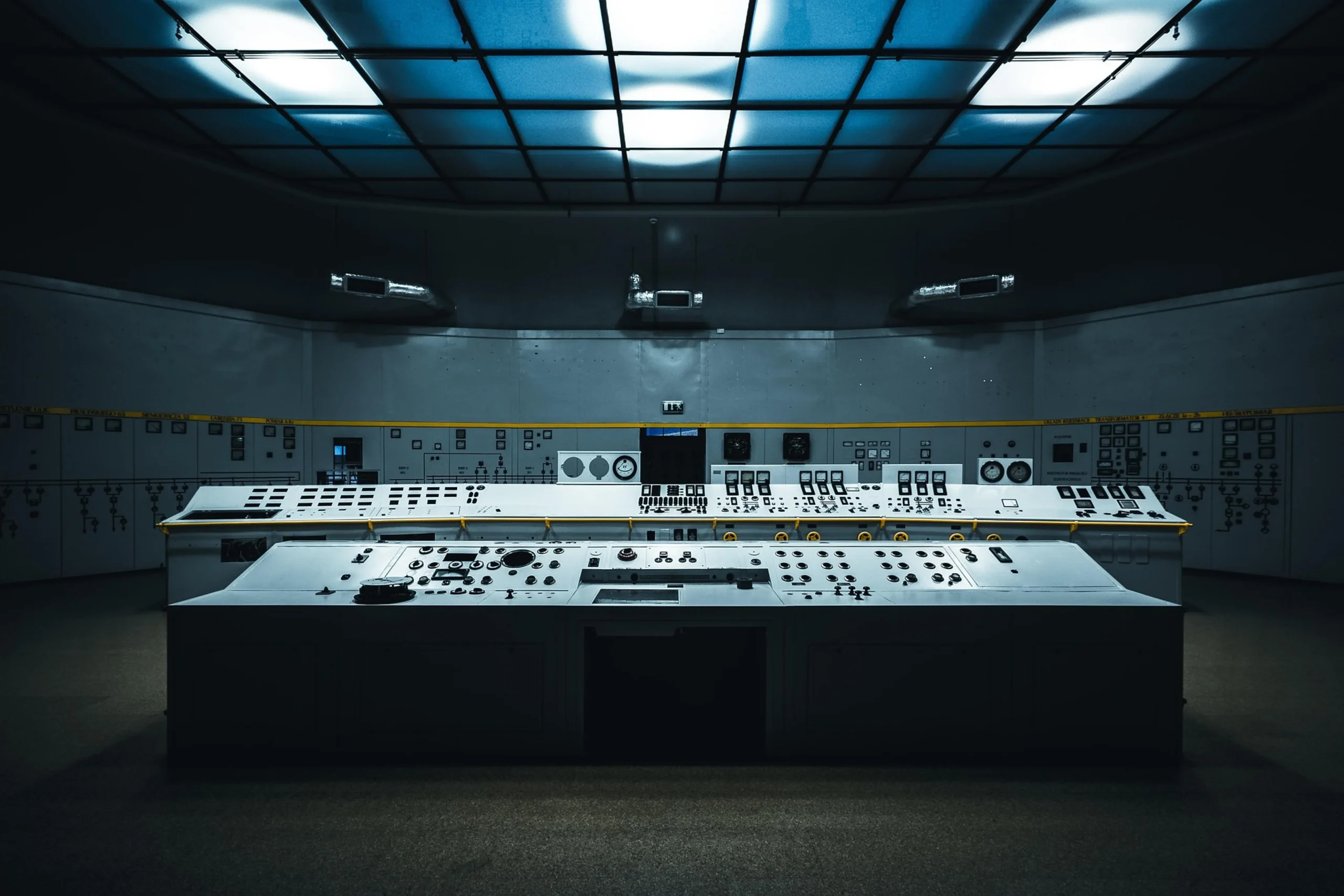
Command & Control Rooms

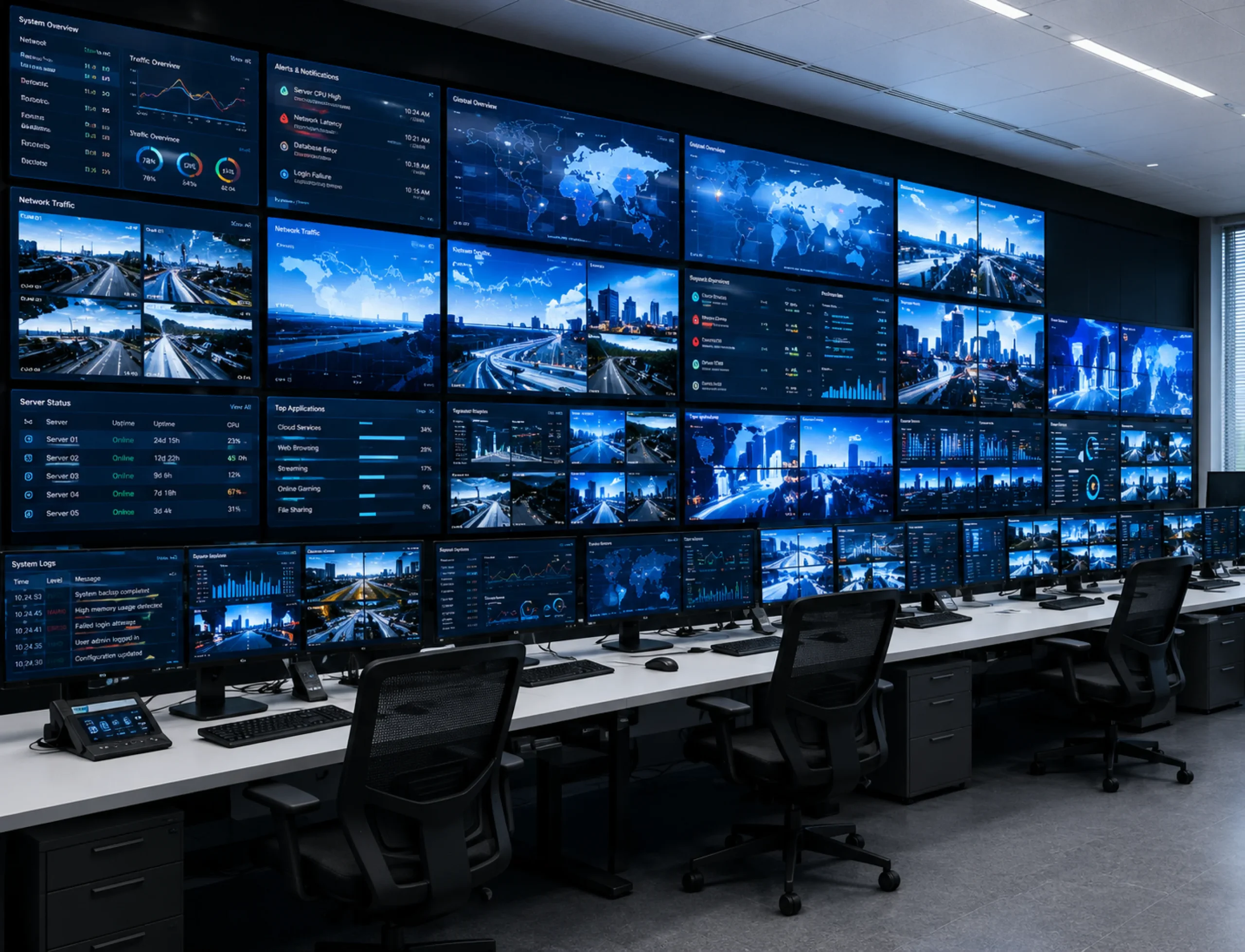
Security Operations Centers

Security Operations Centers

Data Centers

Data Centers

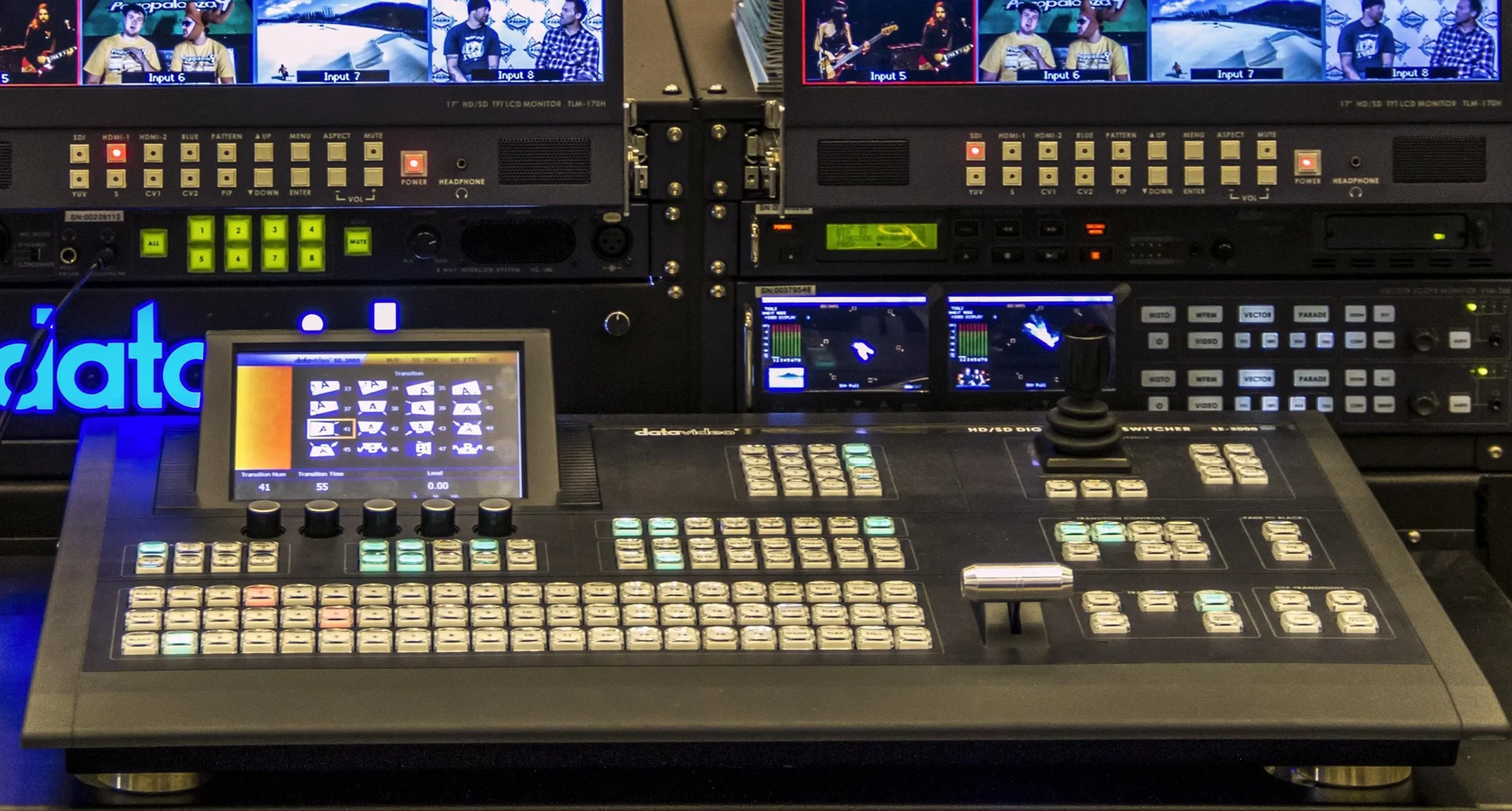
Broadcast Monitoring

Broadcast Monitoring

Industrial Automation

Industrial Automation

Government & Defense

Government & Defense

Why Upgrade? N2N vs. Software Remote Access Tools

Software tools like AnyDesk and TeamViewer need a working operating system, an installed agent, and a live network session. N2N works at the hardware level, delivering video and control straight off the HDMI and USB ports with no OS dependency, no VPN client, and nothing installed on the target machine.

N2N SeriesSoftware Remote Tools
Source-side softwareNone requiredAgent must be installed and running
Video compressionH.264 / H.265Often older or less efficient
Bandwidth usageLow, H.265 optimizedHigher consumption
Multiview monitoringUp to 9 systems at onceLimited or unavailable
System switchingInstant, hotkey or OSDSlower and less flexible
On-screen controlsIntegrated OSD for source, status, and networkSeparate tools or added setup
Central managementDesktop software and browser-based adminHarder to centralize
ScalabilityAdd endpoints on the networkExpansion gets costly or complex
Display setupsSingle-head and dual-headMay require different models
OEM customizationARM-based, open to custom features and brandingDifficult
Best fitCommand centers, SOCs, data centers, broadcast, industrial, corporate ITSmaller, less scalable setups

N2N Product Portfolio

The N2N Series is built on a single software-configurable platform. One unit serves as encoder, decoder, or standalone KVM node, over CAT5 copper or single-mode fiber, so systems scale by adding units rather than by adding part numbers.

Part Number

Format

Role

Configuration

Transmitter

Receiver

CAT5

Fiber

Remote Desktop

Android

N2N-KVH100HDMITransmitter / receiverCAT5??
N2N-KVD100DisplayPortTransmitter / receiverCAT5??
N2N-KVH300HDMITransmitter / receiverCAT5 + SFP fiber??
N2N-KVD300DisplayPortTransmitter / receiverCAT5 + SFP fiber??

Available Models

  • N2N-KVH100 – N2N HDMI encoder can be transmitter or receiver cat5 only
  • N2N-KVD100 – N2N Display port encoder can be transmitter or receiver cat5 only
  • N2N-KVH300 – N2N HDMI encoder can be transmitter or receiver cat5 / fiberonly
  • N2N-KVD300 – N2N Display port encoder can be transmitter or receiver cat5 /fiberonly