

N2N AVMANAGER [MODEL NUMBER]
Every source.
Every screen.
One controller
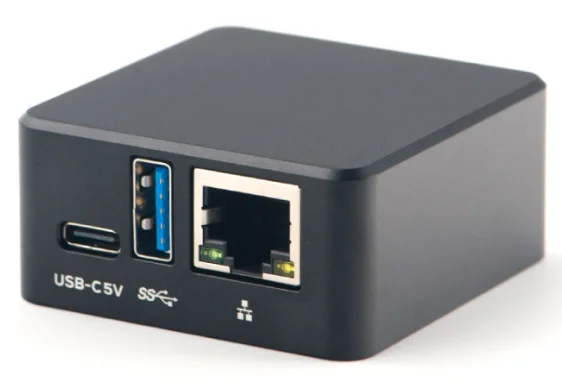
The N2N AVmanager is a compact box that connects to your network and gives managers central control of the entire AV-over-IP system: which source each receiver shows, how signals are routed, and when it all changes.

OVERVIEW
Take control of the whole AV-over-IP system
Plug the controller into the same network as your SmartAVI encoders and decoders. From one interface, managers see every endpoint, choose what plays where, and automate routine changes with schedules and macros.
One-to-one
A dedicated source to a single display — a desk, a podium, a confidence monitor.
One-to-many
Broadcast one source to any number of displays across the building.
Any source to any display
Any source to any display, all at once–a full matrix over your network.
FULL SCREEN OR MULTIVIEW
One source full screen, or multiple sources on one screen.
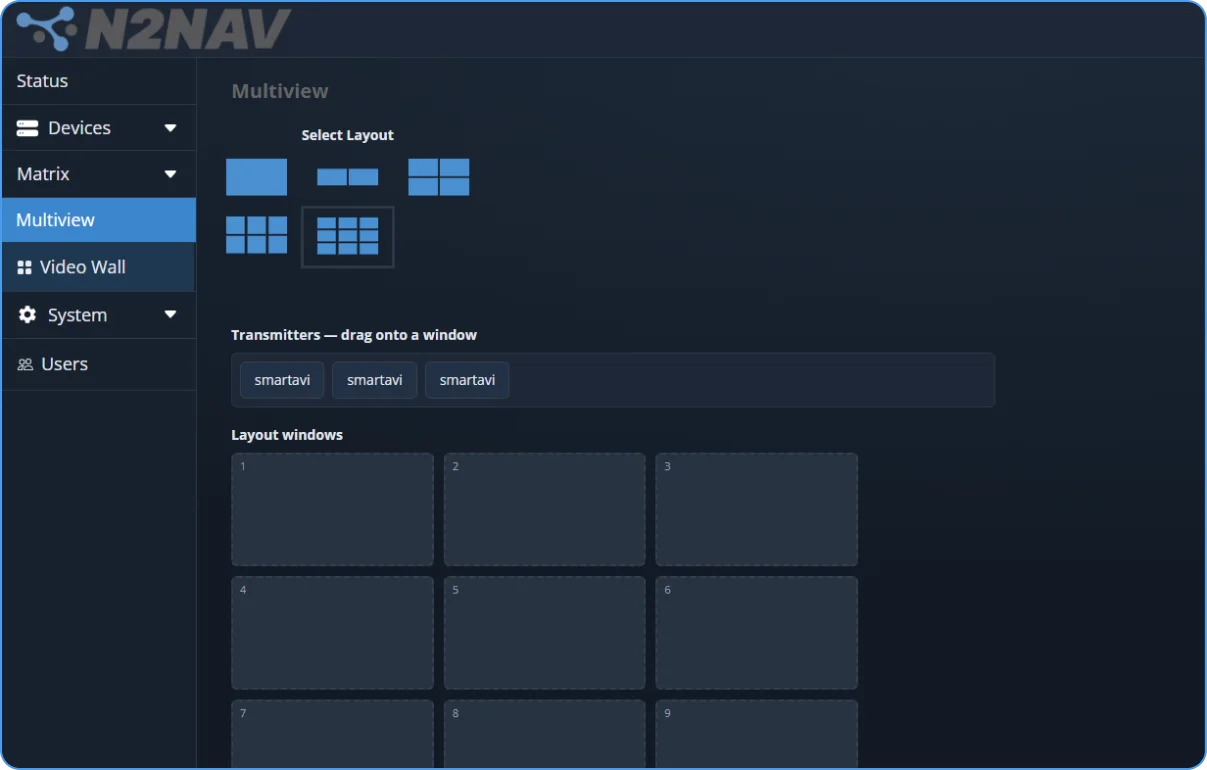
Send any transmitter full screen to any receiver. Or switch a display to multiview: pick a layout and drag sources onto its windows to show up to 9 at once on a single screen.
WEB CONSOLE
All setup, all control —
from the browser
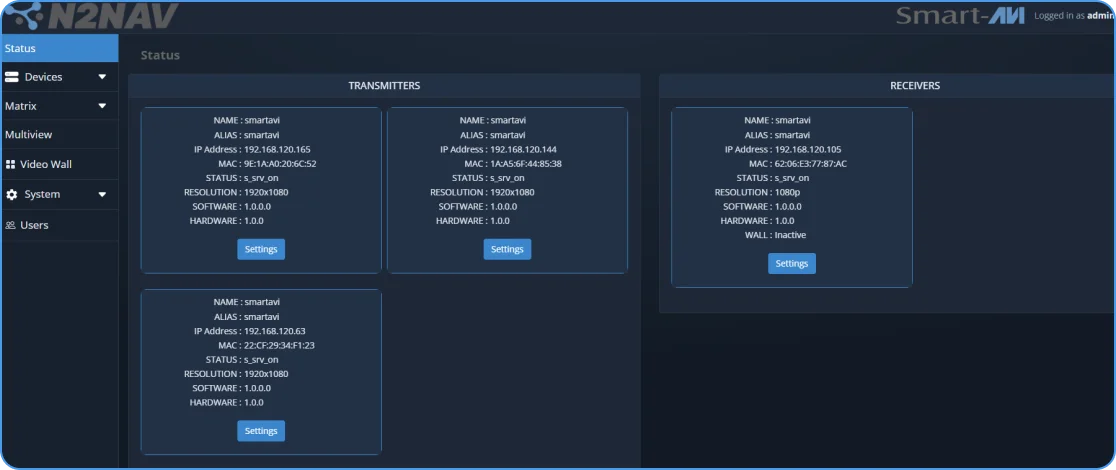
Everything is done in the N2N AVmanager web console: device setup, routing, multiview, video wall, schedules, macros and user accounts. Sign in from any computer on the network – there is no software to install.
Schedules
Switch sources automatically by time and day, so the right content is on every screen without anyone at the desk.
Macros
Save routing scenes. Recall with one click or on a schedule.
Morning macro
All-hands broadcast
Training mode
After hours
Specifications
Questions
Can one source go to many displays?
Yes. In N2N AVmanager you can send any source to one receiver, to several receivers, or to every receiver at once. You can also run several of these routes at the same time, so different groups of screens show different sources. Each receiver can show its source full screen, or show several sources together in a multiview layout of up to 9 windows.
How do schedules work?
A schedule tells the system to make a change automatically at a set time. In the web console you pick the time and the days it should repeat, then choose what happens: a single route, such as the lobby screens switching to the signage feed, or a whole macro. The change then happens on its own at that time, so nobody has to be at the console.
What is a macro?
A macro is a saved set of routing changes that you run with one click. For example, a “Morning” macro could switch the lobby to the welcome loop, the training room to the lab PC and the conference room to Camera 1, all at once. You can run a macro by hand from the web console or set a schedule to run it automatically.
Which endpoints are supported?
N2N AVmanager works with SmartAVI [N2N series] AV-over-IP transmitters and receivers. It finds the transmitters and receivers on the network and shows them in the web console, with their status, IP address, resolution and firmware version. It supports up to [NUMBER] endpoints. For the full list of compatible models, see [LINK MODEL / LIST].
Ready to take control?
Talk to our team about your AV-over-IP project.
Error: Contact form not found.