

USBDex™
Hardware Remote Access Without Software or Networks
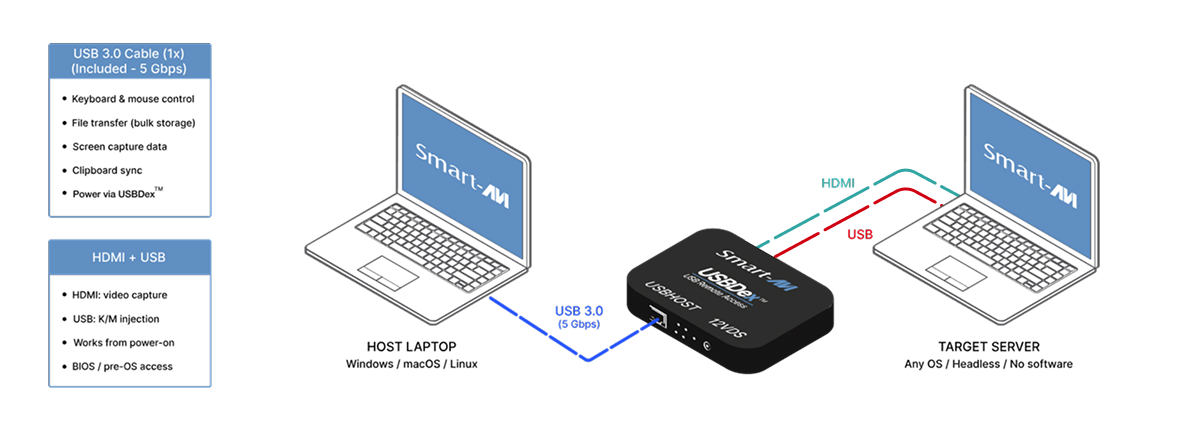
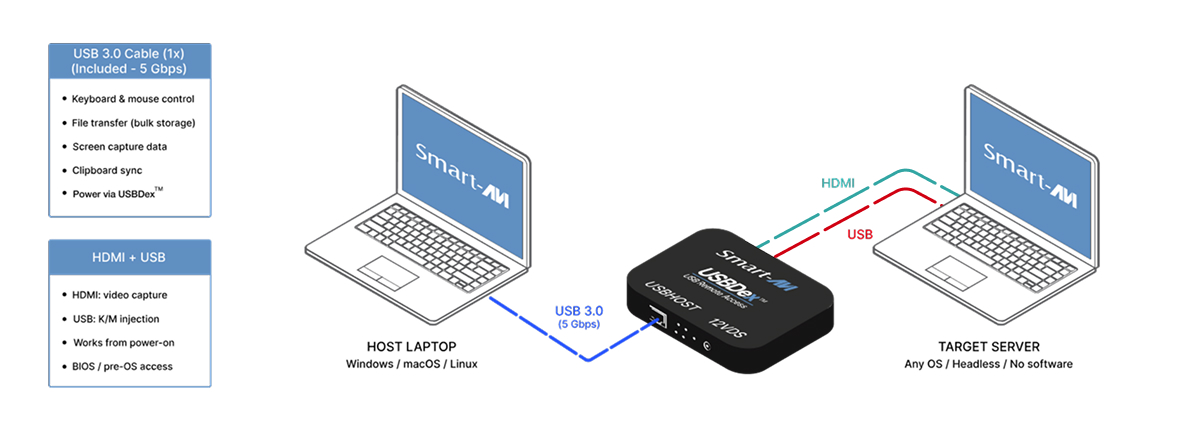
Control any server — including BIOS — from your laptop over a single USB 3.0 cable. No network. No agents. No crash cart.
USBDex™ is a hardware-based remote access solution that provides full keyboard, video, and mouse control of virtually any computer without installing software, drivers, agents, clients, or operating system components.
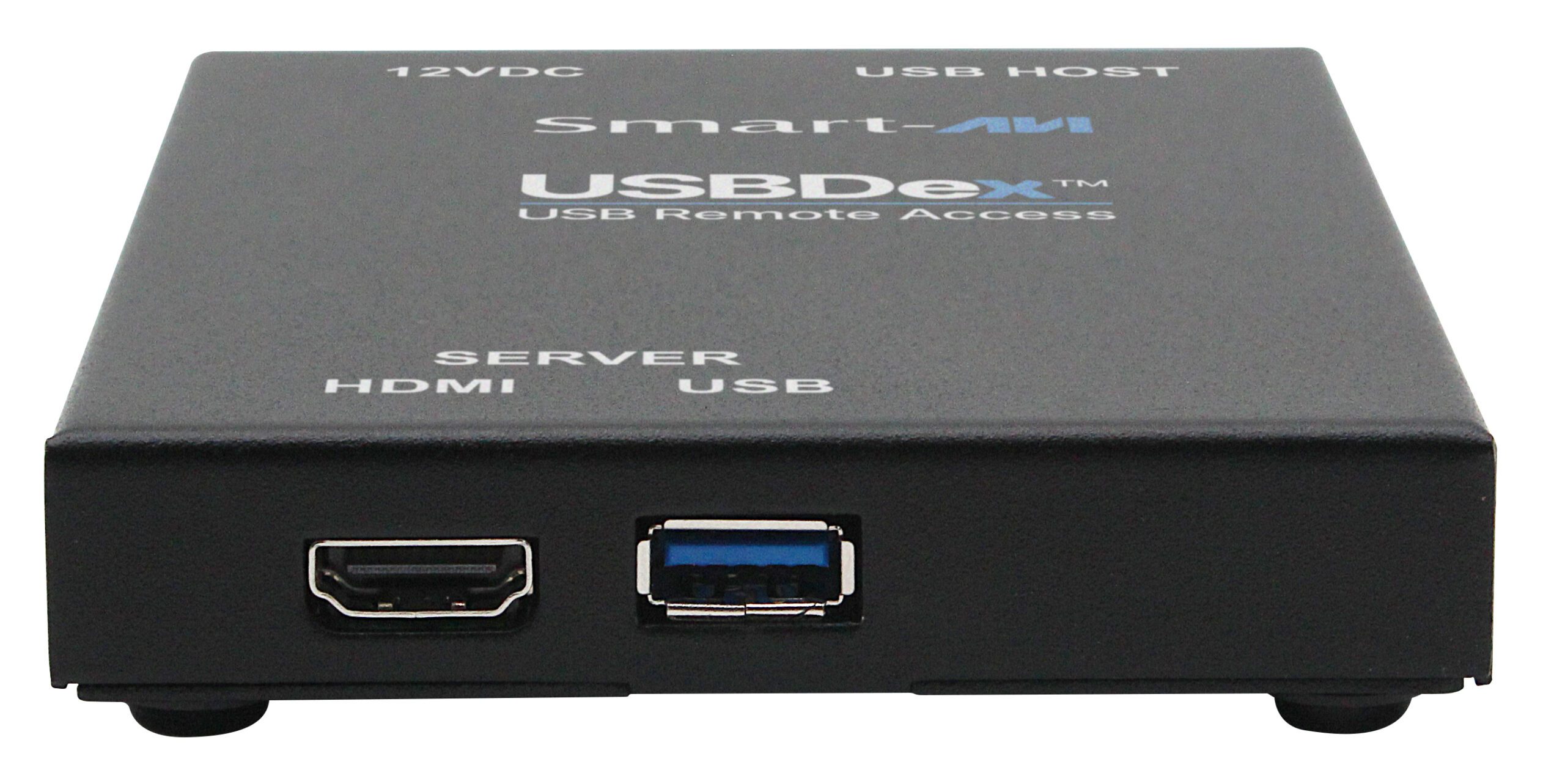
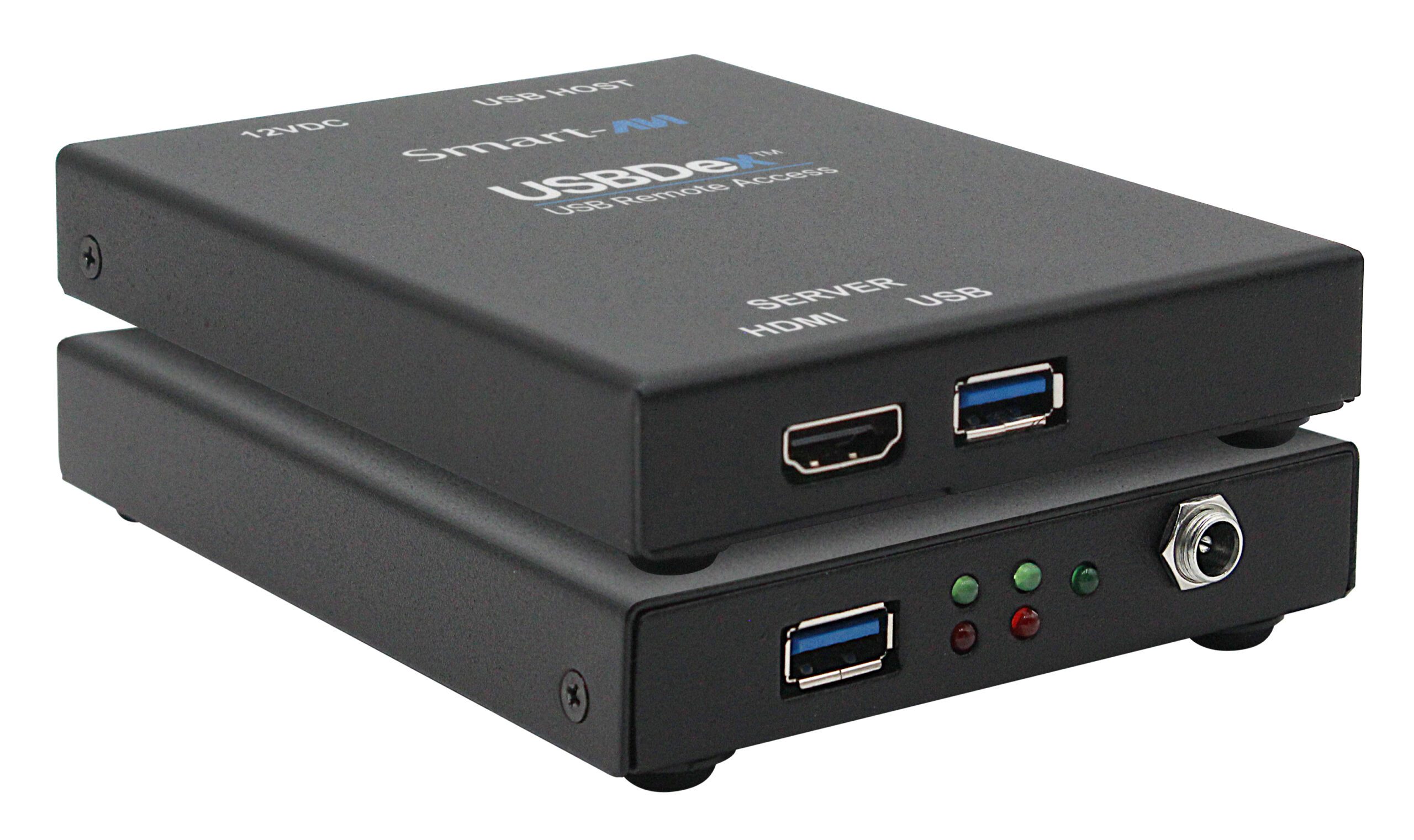
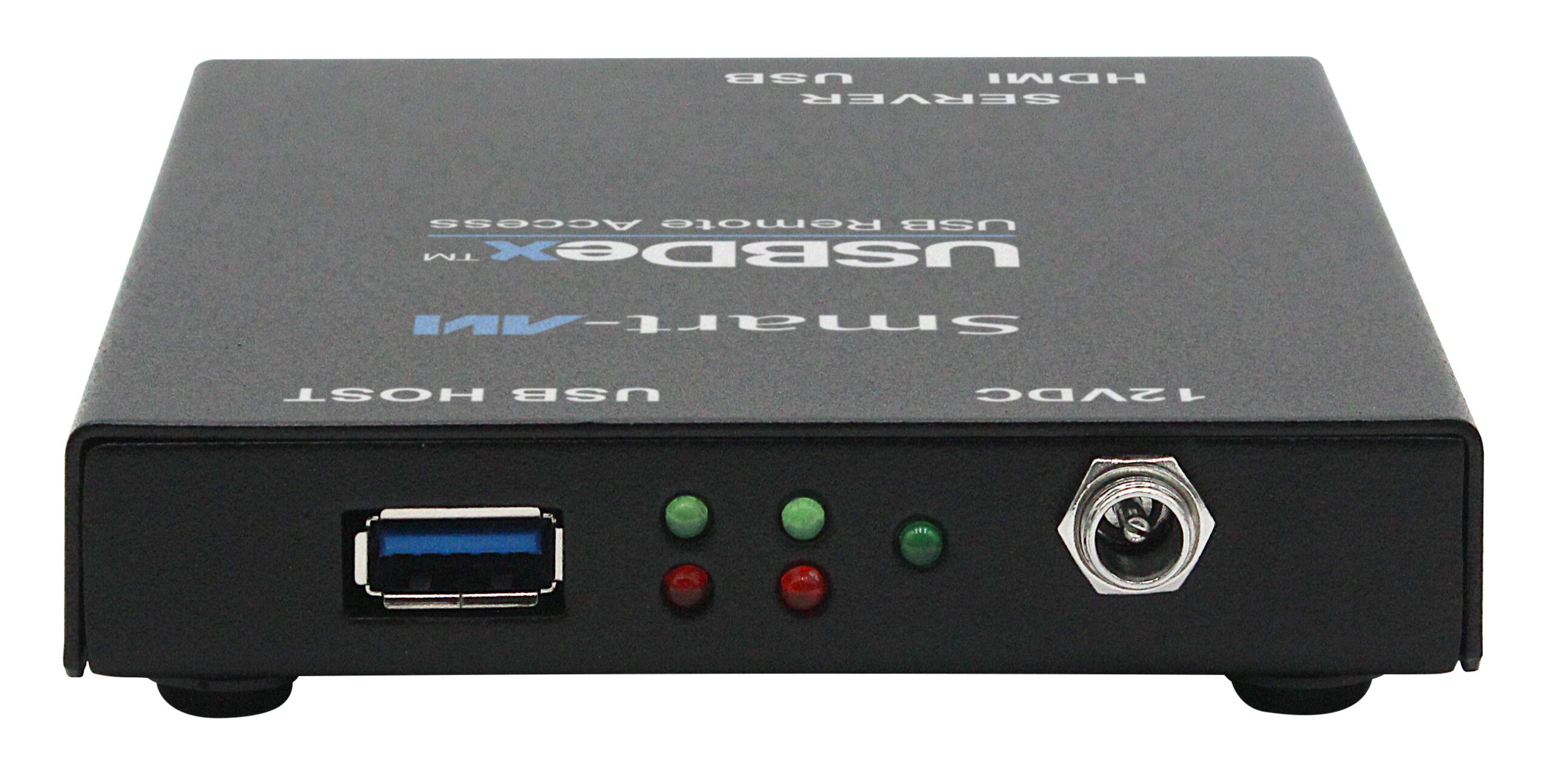
USBDex™ operates entirely at the hardware level, it can access systems before the operating system loads, including BIOS, UEFI, boot menus, operating system installation screens, and recovery environments. This capability is not available with traditional software-based remote access tools.
- No software, drivers, agents, or clients required
- No network connection required
- Full BIOS, UEFI, and pre-boot access
- Works even if the operating system is corrupted or not installed
- Compatible with Windows, Linux, macOS, Unix, embedded systems, and proprietary platforms
- Supports servers, workstations, industrial computers, and appliances
- Compatible with VGA, DVI, HDMI, and DisplayPort systems
- Eliminates cybersecurity risks associated with remote access software
- Ideal for air-gapped, classified, government, military, and critical infrastructure environments
- Single USB 3.0 cable, one cable connects to your laptop. No crash cart required
- Live KVM view, recording, file manager & device settings
- Mouse keepalive
- IT Administration & Server Management: Manage bare-metal servers and configure BIOS setting directly from your desk
- Bare-Metal OS Deployment: Boot & configure servers before any OS is installed. Transfer installation files via onboard flash storage
- Secure/Air Gapped Environments: Access network isolated machines through a controlled physical USB channel with zero console infrastructure
- Data Centers: Rack-and-stack operations, emergency access, and routine maintenance without dedicated console infrastructure
- R&D & Lab Systems: Interface with test rigs, embedded systems, and development boards without installing software
- Embedded & Industrial Systems: Configure and monitor industrial PCs and HMIs at scale
- Manufacturing floors HMIs: Mouse keepalive ensures constant process visibility without triggering watchdog timers
- Network Operation Centers: Fast access to any system in the NOC without needing network connectivity to the target
- Security & Compliance Audits: Access and document system states with screen capture and recording
- Education/Training Labs: Rapidly deploy and reset lab machines without network infrastructure
| VIDEO / KVM | |
|---|---|
| Host Interface | USB 3.0 Type-A |
| Server Video Input | HDMI |
| Server HID Output | USB Type-A |
| Max Resolution | 4K @ 30fps (3840 × 2160) |
| Typical Latency | < 50ms |
| Flash Storage | Built-in · Shared host & target access |
| EDID Support | Full pass-through |
| Driver Required | None (host or target) |
| USB | |
| Signal Type | USB 3.0 with backward compatibility |
| Host Interface | USB 3.0 Type-A |
| Server HID Out | USB Type-A |
| Emulation | Keyboard and Mouse |
| CONTROL / SOFTWARE | |
| Switching | Direct USB 3.0 from host laptop |
| Screen Capture | One-click — saves to host or onboard storage |
| Clipboard | Bidirectional copy/paste host ↔ target |
| Mouse Keepalive | Configurable — prevents sleep & timeouts |
| Air-Gap Safe | Zero network traffic to or from target |
| POWER / ENVIRONMENT | |
| Power Input | 12VDC External |
| Power Adapter | AC 100–240V, 50/60 Hz (included) |
| Operating Temp | +32 to +122°F (0 to +50°C) |
| Storage Temp | −4 to +140°F (−20 to +60°C) |
| Humidity | Up to 95% (no condensation) |
| Host OS | Windows, macOS, Linux |
| Target OS Required | None — agentless |
| Approvals | Designed & Manufactured in USA |
| Part No. | ORDERING INFORMATION |
|---|---|
| USBDK-100 | KVM over USB 3.0 with Integrated Flash Storage. Includes: USBDK-100, PS12VDC-ADAPTER |
X ![]()
![]()
![]()
![]()