

N2N-Avamanager
Centralized desktop management for the complete N2N-AV system
N2N-Avamanager is the desktop application for administering a complete N2N over-IP deployment. Discover and configure N2N endpoints, manage users and permissions, and operate remote computers through live and multiview, all from one application.
Administrators work from a single live device table rather than moving between separate tools. Search the network, review endpoint status, apply device and network changes, and set operating roles for transmitters, receivers, and endpoints. Device ID, name, and model updates appear immediately on the endpoint OLED, so changes are confirmed at the rack as well as on screen.
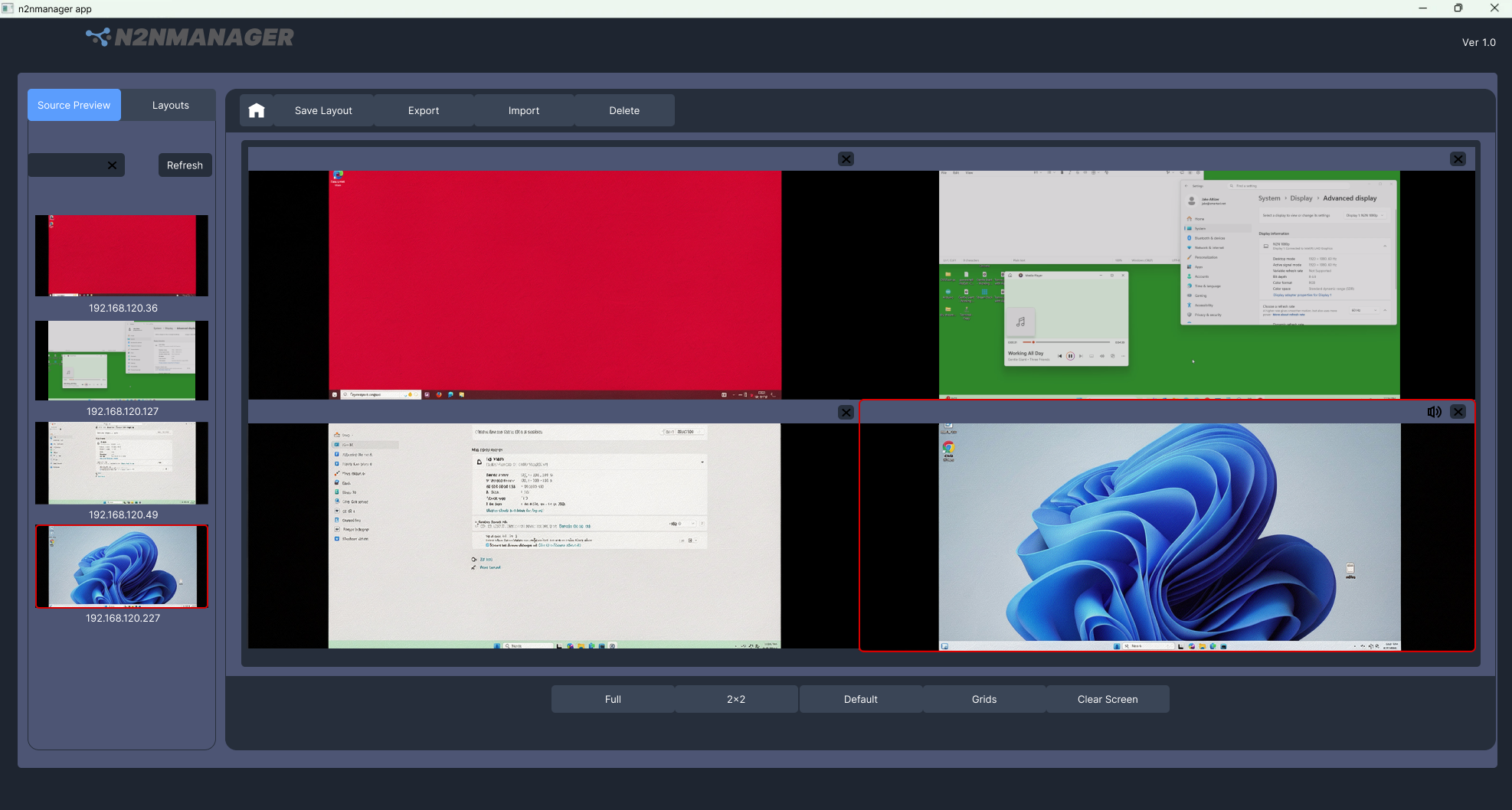
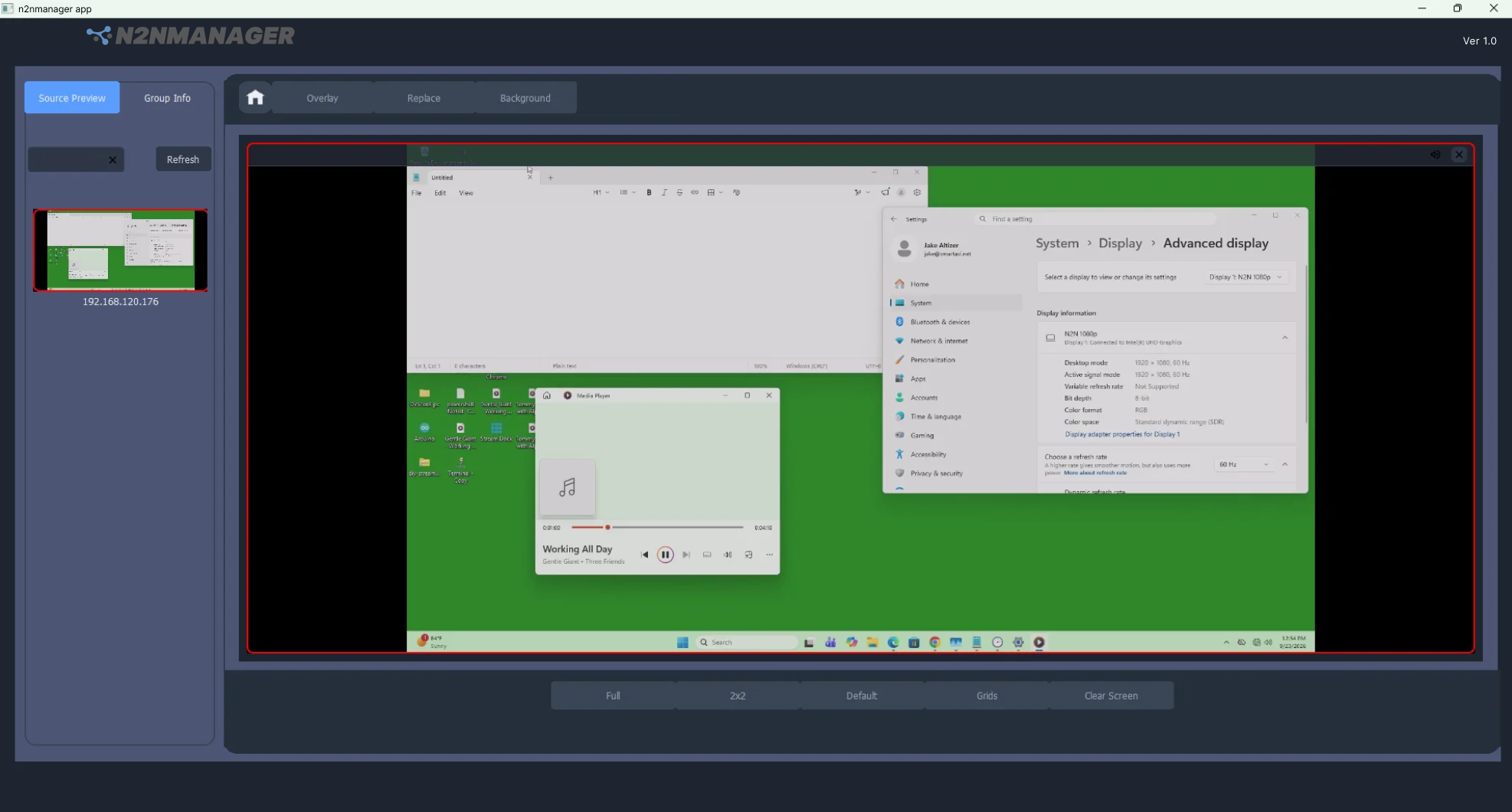
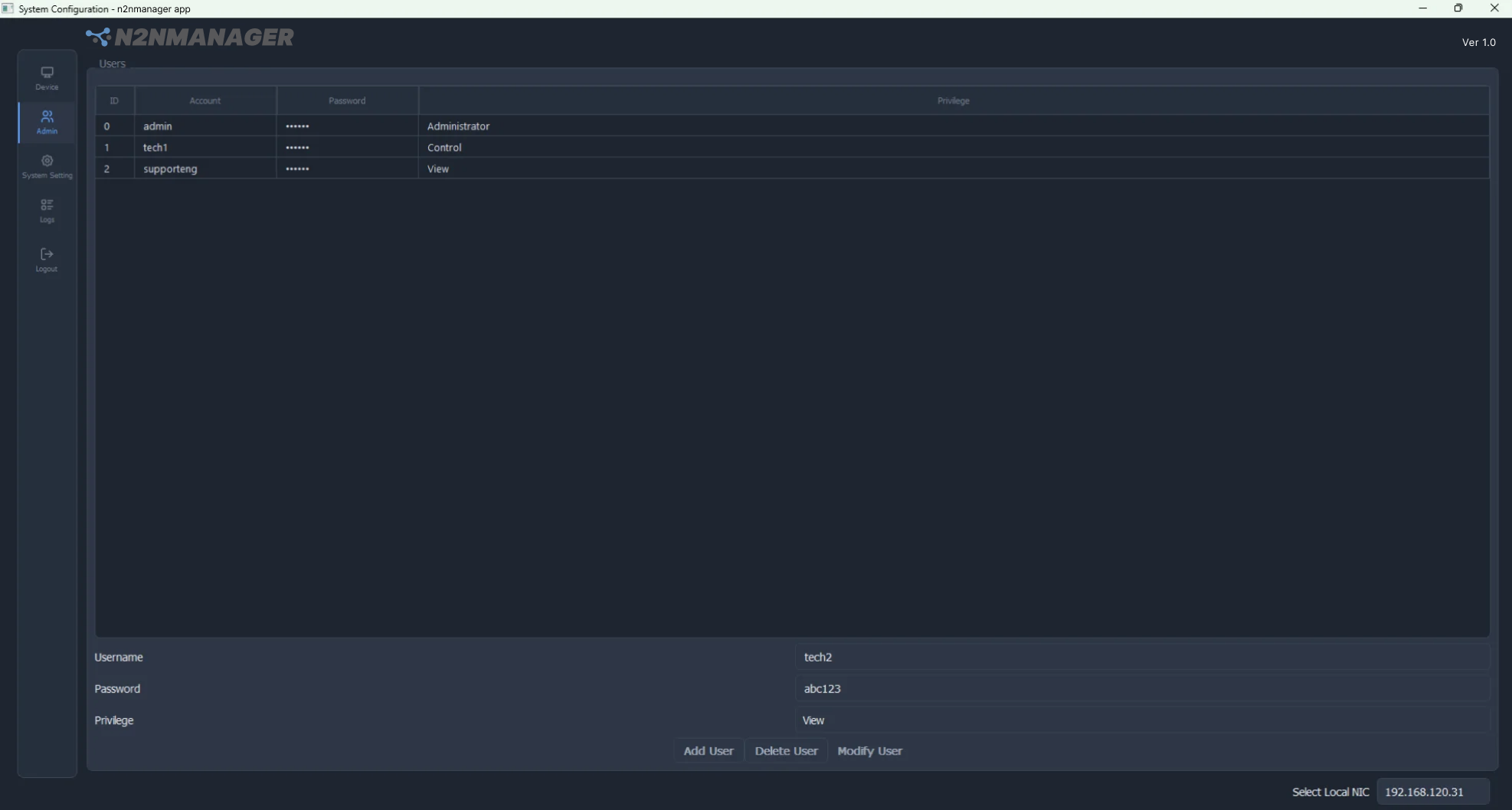
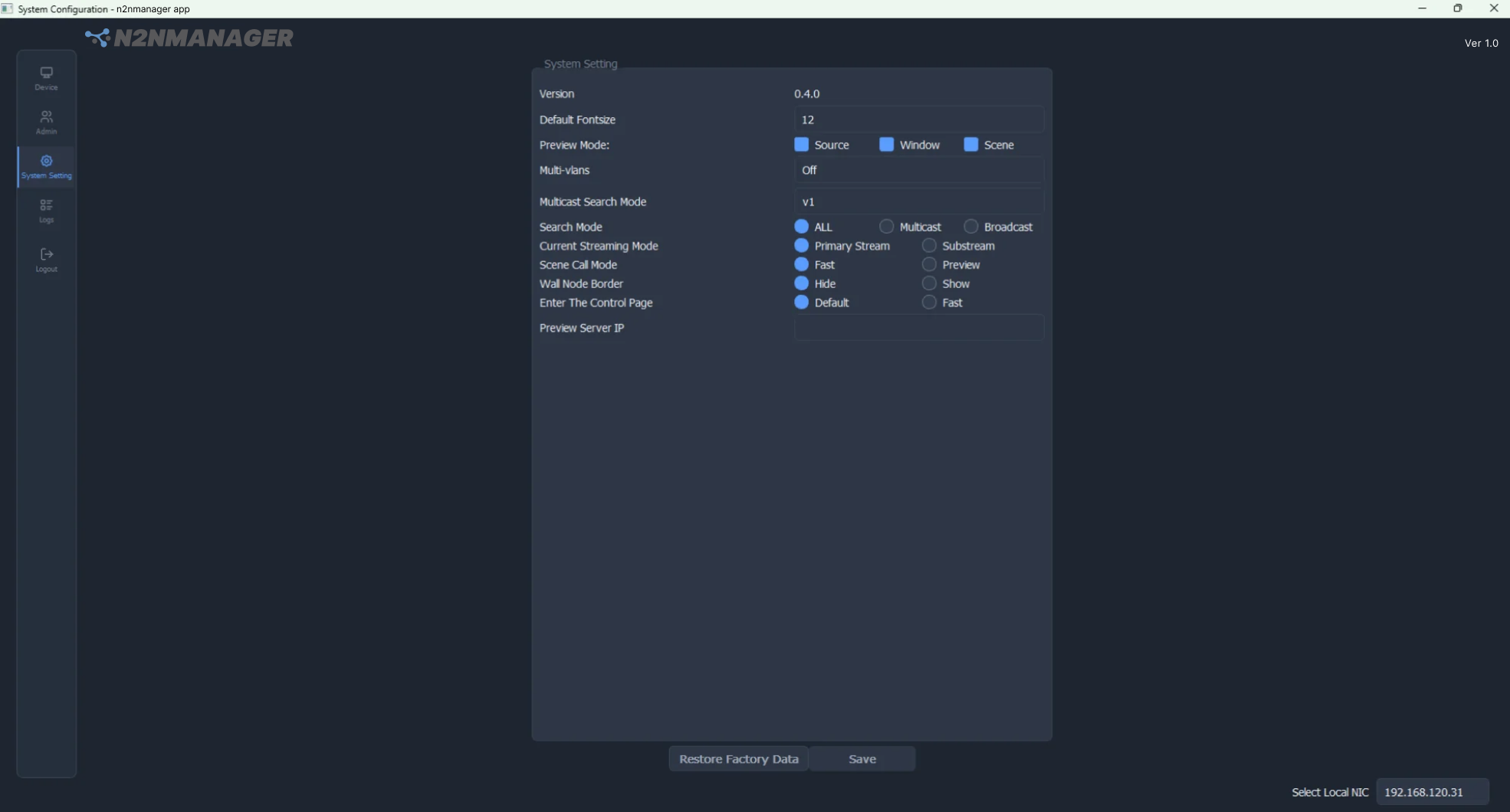
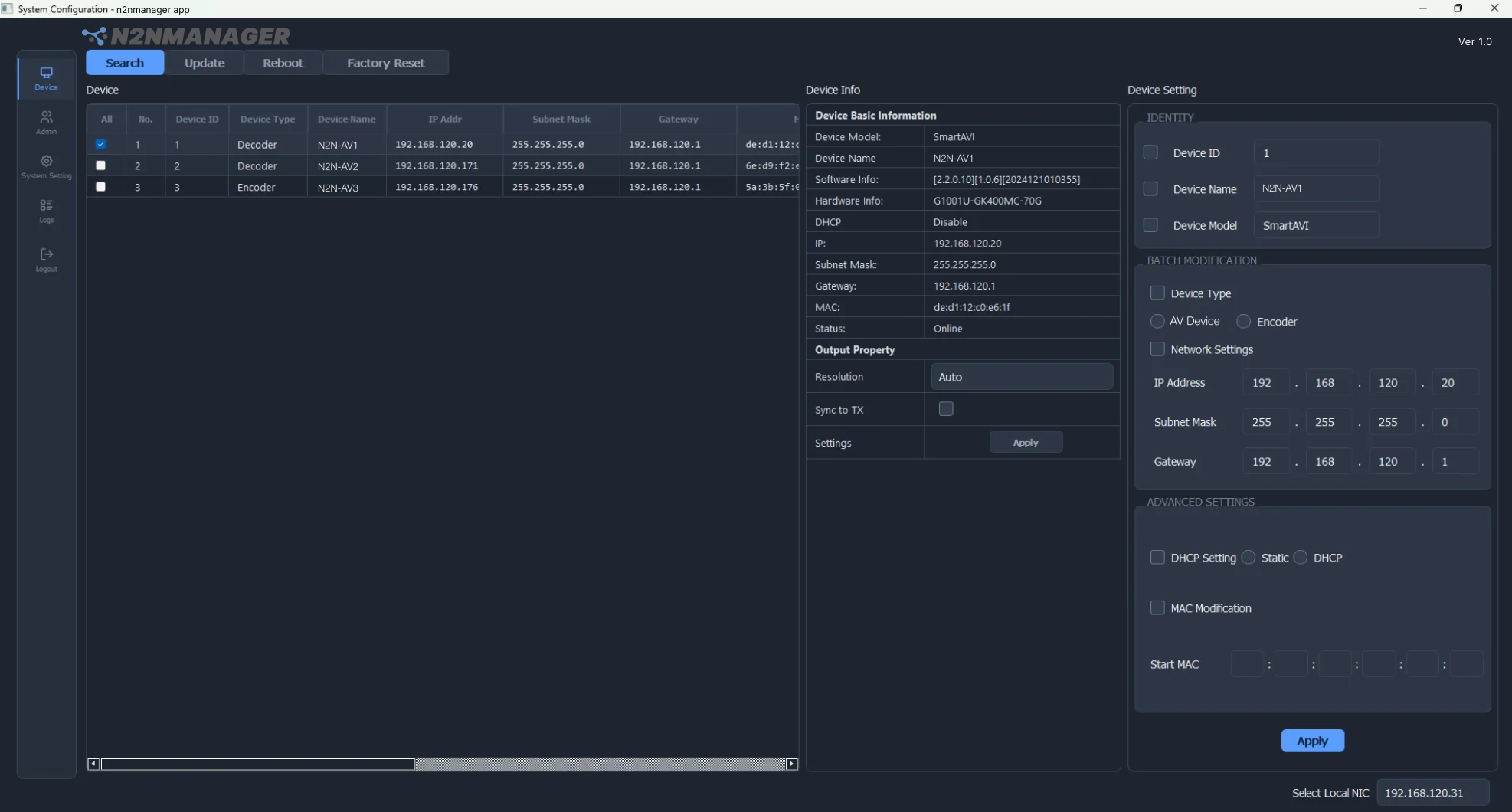
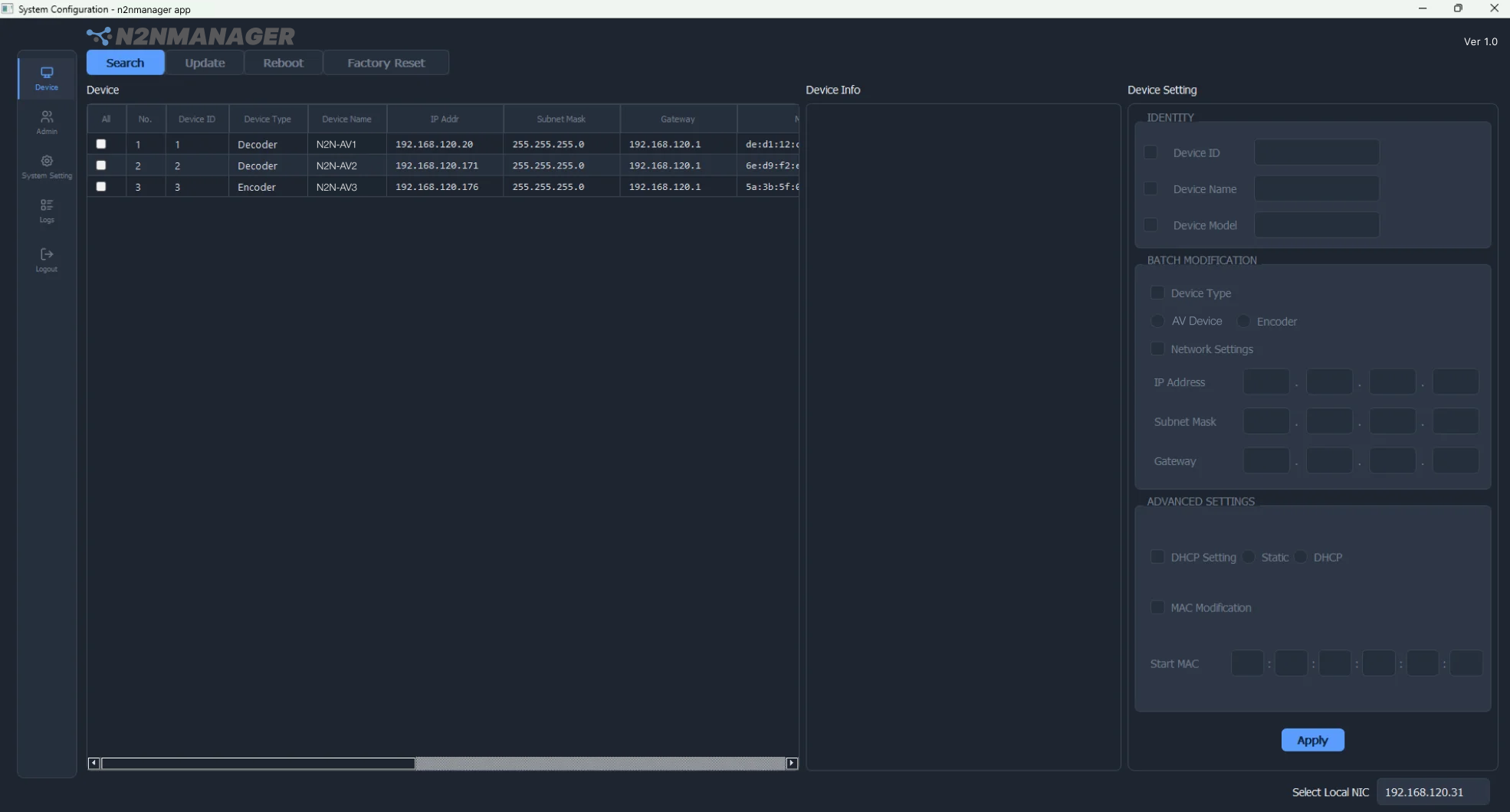
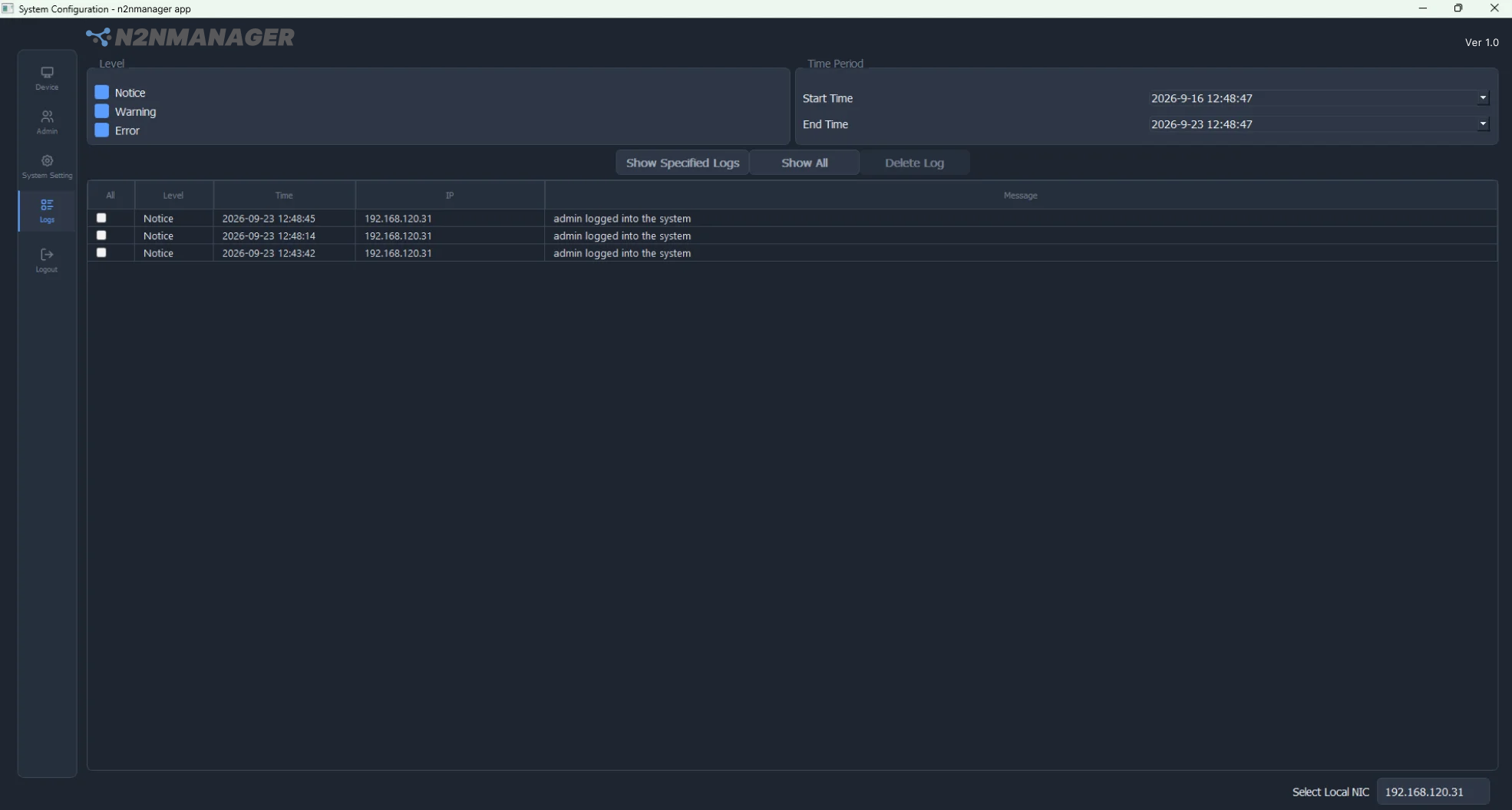
- Device discovery. Search the local network and populate one live device table with every N2N endpoint found.
- Device configuration. Update device identity, model, IP address, subnet, gateway, and related network settings.
- Operating roles. Apply settings for N2N transmitters, receivers, and endpoints from the same console.
- Immediate confirmation. Device ID, name, and model updates appear on the endpoint OLED as soon as they are applied.
- User administration. Add, modify, and remove user accounts from one administrative view.
- Access control. Assign the appropriate access permission for each user and manage access to sources, groups, and sites.
- System configuration. Save application settings for consistent operation across the deployment, and restore factory data when needed.
- Live source preview. See connected sources in the preview panel before switching.
- Drag to arrange. Drag a source into the main viewing canvas to place it.
- Full-screen control. Open full-screen for active keyboard and mouse control of the selected remote computer.
- Multiview layouts. Choose a 2×2 layout or create a custom grid.
N2N-Avamanager is the administrative console for any N2N-AV deployment. It suits environments where one team is responsible for configuring endpoints, controlling who can reach which sources, and operating remote computers day to day.
- Command & Control Center
- Data Center Operations
- Security Monitoring
- Server Room Management
- AV / Multimedia Control
- Conference & Collaboration
Manage access, maintain configuration, and support day-to-day N2N operations from the same desktop application.
| SOFTWARE | |
|---|---|
| Product | N2N-Avamanager desktop application |
| Version | Ver 1.0 |
| Platform | Windows |
| Part Number | N2N-MGR V1.0 |
| MANAGEMENT | |
| Device Discovery | Search the local network and populate one live device table |
| Device Configuration | Device identity, model, IP address, subnet, gateway, and related settings |
| Operating Roles | N2N-AV transmitter, receiver, and AV endpoint |
| Endpoint Feedback | Device ID, name, and model updates shown on the endpoint OLED |
| System Configuration | Save application settings; restore factory data and restart to apply |
| USERS AND ACCESS | |
| User Accounts | Add, modify, and remove accounts from one administrative view |
| Permissions | Per-user access permission, with access managed by source, group, and site |
| OPERATION | |
| Source Preview | Live preview panel of connected sources |
| Source Placement | Drag a source into the main viewing canvas |
| AV Control | Full-screen for active keyboard and mouse control |
| Multiview Layouts | 2×2 layout or custom grid |
| COMPATIBILITY | |
| Managed Products | N2N-AV Series: N2N-AVH100, N2N-AVD100, N2N-AVH300, N2N-AVD300 |
| Network | Same local network as the N2N-AV endpoints |
| Part No. | Ordering Information |
|---|---|
| N2N-MGR V1.0 | N2N Manager Ver1.0 for Windows |
N2N-Avamanager administers N2N Series endpoints. Managed products: N2N-AVH100, N2N-AVD100, N2N-AVH300 and N2N-AVD300.
Contact SmartAVI for system design, product selection, and deployment support.